Transport Ship





Transport Ship
0
0
0
- Developer
- riba2534
- Load Speed
- Fast (0–60 sec)
- Release Date
- Sep 23, 2026
- Added Site
- Sep 24, 2026
- Play Mode
- Single Player
- Local Players
- 1 Player
- Controls
- Keyboard & Mouse, Touch Controls
- Perspective
- First-Person
What Is Transport Ship?
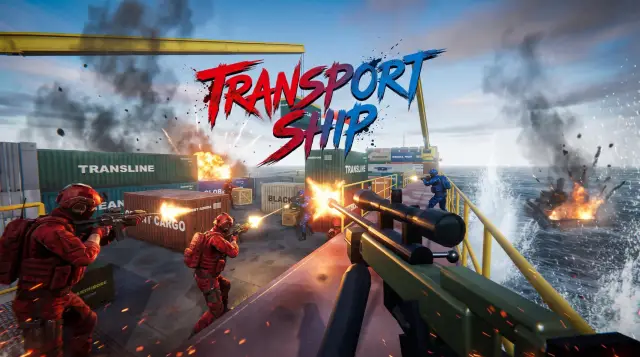
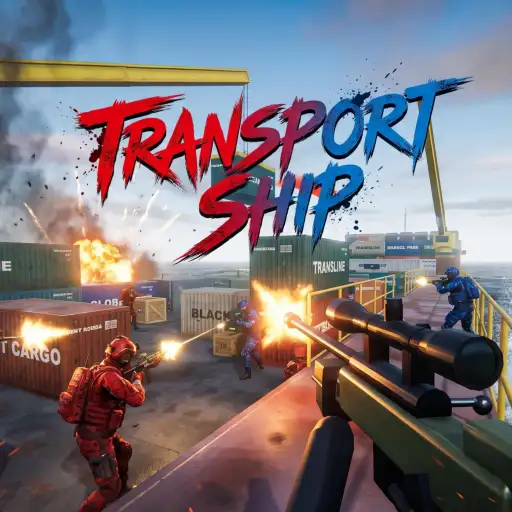
Transport Ship is a browser-based first-person shooter built around a team deathmatch on a compact cargo vessel. You join either Black List or Global Risk, fight alongside AI teammates, and try to reach the selected kill target before the opposing team.
The game recreates the recognisable flow of CrossFire's Transport Ship map with cabins at opposite ends, a container-filled central deck, side routes, and raised firing positions. It is an independent tribute project rather than an official CrossFire release.
Who Made Transport Ship?
Transport Ship was published by riba2534 on September 23, 2026 as part of a public Claude Opus 5.5 code-generation demonstration. The repository describes it as a one-prompt browser game generated in a single session without manual code edits.
The project uses Three.js and packages the playable build into a single HTML file of roughly 840 KB. Its models, textures, animation, sound effects, and interface are generated or assembled in code instead of loading a conventional external asset pack. It is a technical tribute and is not affiliated with the original CrossFire rights holders.
Game Screenshots
How Does Transport Ship Play?
Set up the match
Before starting, choose Black List or Global Risk, then select an AK-47, M4A1, AWM, or MP5 as your primary weapon. Matches can be configured as 4v4, 6v6, or 8v8 with a target of 30, 50, or 100 team kills. Bot difficulty ranges from Easy to Hell, while day or dusk lighting, graphics quality, sensitivity, field of view, and volume can also be adjusted.
Fight for the score limit
- Spawn with AI teammates in the cabin at your end of the ship.
- Move through the open central deck or use the narrower container routes along the sides.
- Use cover, elevation, and weapon range to challenge enemy bots.
- Score eliminations, respawn after being defeated, and continue fighting until one team reaches the selected goal.
Map and weapons
The middle lane is shaped by two angled containers, with L-shaped stacks and side container tunnels creating alternative approaches. Tunnel exits lead toward raised positions that overlook parts of the deck. The AK-47 and M4A1 suit general rifle fights, the AWM rewards deliberate long-range shots, and the MP5 is easier to handle in close routes. Every loadout also includes a Desert Eagle, knife, and grenade.
Game Controls
These are the default desktop controls shown by the current browser build.
Movement and view
- W A S D: move
- ⇧ Shift: walk quietly
- ␣ Space: jump
- C: crouch
- Move Mouse: look around and aim
Combat
- Left Click: fire or use the knife
- Right Click: aim or use a heavy knife attack
- 1 2 3 4: select the primary weapon, pistol, knife, or grenade
- Q: switch to the previous weapon
- Scroll Wheel: cycle through weapons
- R: reload
Other functions
- F: inspect the equipped weapon
- B: open the primary-weapon selection
- Tab: hold to view the scoreboard
- Esc: pause and open settings
Transport Ship Tips
- Choose a weapon for your route. The AWM is strongest when watching a long lane, while the MP5 is better suited to container tunnels and close corners.
- Do not cross the central deck in a straight line. Move between container cover and check raised positions before entering an open angle.
- Use the side tunnels to change the fight. They provide an alternative to repeated head-on battles and can lead toward useful elevated firing positions.
- Walk when approaching a defended corner. Quiet movement makes it harder for nearby bots to react to your footsteps before you peek.
- Reload behind a container. Even a short reload is dangerous when several enemies share the same lane.
- Save the grenade for crowded cover. Container corners and narrow exits are better targets than isolated enemies in open space.
- Lower the difficulty before increasing match size. Learning the routes in 4v4 creates fewer simultaneous angles than beginning with 8v8 on Hard or Hell.
Frequently Asked Questions
Is Transport Ship an official CrossFire game?
No. This browser game is an independent technical tribute published by riba2534 and is not affiliated with CrossFire or its original rights holders. It recreates a familiar cargo-ship setting but should not be treated as an official release.
Does Transport Ship have online multiplayer?
No. The current build is a single-player team deathmatch: you control one soldier while AI bots fill your team and the opposing team. The 4v4, 6v6, and 8v8 options change the number of bots rather than connecting you to other players.
Can I play Transport Ship on a phone or tablet?
The game includes touch detection and on-screen controls for moving, looking, firing, jumping, and crouching. A keyboard and mouse still provide more direct access to weapon switching, reloading, the scoreboard, and other secondary actions.
Do I need to download Transport Ship?
No. The playable version is packaged as a browser build and can run without installing a separate game client. A modern browser with JavaScript, WebGL, and hardware acceleration enabled is recommended.
Can I change the weapon or difficulty?
Yes. The setup screen lets you choose AK-47, M4A1, AWM, or MP5 and select Easy, Normal, Hard, or Hell bot difficulty. During a match, press B to reopen the primary-weapon selection.
What should I do if Transport Ship runs slowly or does not load?
Refresh the page, enable JavaScript, WebGL, and hardware acceleration, and try the latest Chrome or Edge. If performance is uneven, choose Low or Balanced graphics, reduce the field of view, close heavy background tabs, and temporarily disable extensions that block game resources.
Comments (0)