

















Bloxd.io

- Developer
- Arthur
- Load Speed
- Not specified
- Release Date
- 2021
- Added Site
- Oct 17, 2026
- Play Mode
- Online Multiplayer
- Local Players
- 1 Player
- Controls
- Keyboard & Mouse, Touch Controls, APP
- Perspective
- First-Person, Third-Person
What Is Bloxd.io?
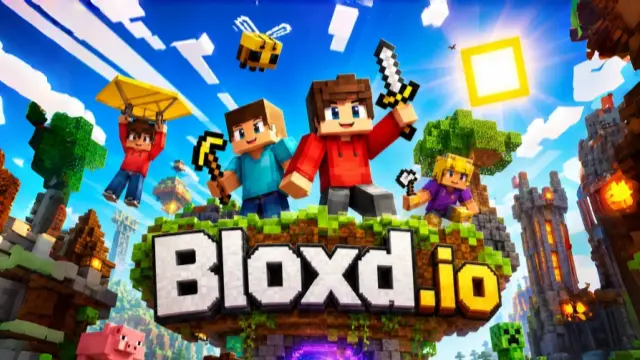
Bloxd.io is a multiplayer block-world game created by Arthur, with building, exploration and competitive minigames sharing the same voxel style. It is not just one kind of match: you can swap a gunfight for a survival world, an island-building project or a parkour course.
For shooting, start with Cube Warfare. For an objective worth defending, try Bedwars. Choose a creative or survival activity when you would rather gather, craft and shape the world. Community-made games add further choices, so read the selected lobby's rules before joining.
Game Screenshots
Choose Your Bloxd.io Game Mode
Cube Warfare: Guns and Block Cover
Cube Warfare focuses on player-versus-player shooting, with free-for-all and team variants. Rifles, submachine guns, shotguns, pistols and sniper-style weapons offer different approaches to a fight. Blocks are part of the battlefield rather than decoration: use construction to interrupt a sightline or change your approach instead of exchanging shots in the open.
Choose a weapon for the space ahead. A close-range weapon is easier to put to work around corners, while longer sightlines give precision weapons room to operate. Check the current match's scoring and equipment options rather than expecting every shooting room to share identical rules.
Bedwars: Keep Your Respawns Alive
Your bed is a team objective, not just a place to stand. While it survives, defeated teammates can respawn; once opponents destroy it, further deaths become much more costly. Gather resources, improve your defenses and push toward rival beds without leaving your own exposed.
An elimination can clear the way, but destroying a rival bed changes what that elimination means. Balance attacks with defense, and keep enough blocks available to move between positions or repair a vulnerable route.
Survival and Creative Building
Survival turns collected resources into better tools and a usable base. Begin with wood and a workbench, progress to stone tools, then use a furnace and iron equipment to reach more valuable materials. Building and crafting give your exploration a purpose beyond wandering.
Creative lets you concentrate on structures rather than working through the same resource progression. Peaceful offers a quieter gathering-and-building alternative. Shared Worlds and community games can change the rules, so a familiar-looking map does not necessarily have familiar combat or inventory settings.
One Block: Grow a Floating Island
One Block starts you with very little space. Mine the regenerating block, collect what it produces and turn those supplies into a larger island. Resource phases change as you progress, and later phases can introduce hostile creatures. Expand your working area before a crowded platform makes every action awkward.
Parkour and Building Challenges
Bloxd Hop asks you to reach the end of a block course before time runs out, while Evil Tower trades horizontal progress for a climb. Both reward control over your approach and landing. Doodle Cube changes the challenge again: build to a theme, then see how other players judge the result.
Game Controls
These are common desktop bindings. Actions depend on the selected mode and equipped item; you can change supported keys in Settings.
Movement and Camera
- W A S D or ↑ ← ↓ →: move
- Move Mouse: look around and aim
- ␣ Space: jump
- ⇧ Shift: run
- C or Ctrl: crouch
- P: switch camera perspective where available
Items, Building and Shooting
- Left Click: break a block, attack or fire the equipped weapon
- Right Click or E: place a block or interact with the selected item or target
- Tab: open inventory and basic crafting
- 0–9 or Scroll Wheel: select a hotbar item
- Q: drop the held item
- R: reload in supported gun modes; restart your run in Bloxd Hop
Menus and Chat
- B: open the current mode's utility menu or shop
- O or Esc: open settings
- T or Enter: open chat
On touchscreens, use the on-screen movement, view and action controls. Available buttons change with your equipment and mode.
Make Your Next Move Count
- Build cover with an exit. In Cube Warfare, interrupt the enemy's firing angle without sealing yourself into a position you cannot leave.
- Turn a Bedwars opening into objective progress. When defenders are down, use the window to reach the bed. More kills alone will not remove their ability to respawn.
- Leave someone watching your own bed. An all-out team rush can trade a small attacking advantage for the loss of your entire respawn safety net.
- Upgrade tools before a long mining trip. Follow Survival's crafting progression so the materials you find are useful rather than beyond your current equipment.
- Give One Block resources somewhere to land. Widen the platform around your work area before concentrating on decorative expansion, and prepare space for later threats.
- Line up the landing before a parkour jump. Sprinting helps only when you can still control the approach. Slow down to set up a difficult section instead of carrying a bad angle into it.
- Reduce viewing distance if busy worlds stutter. Lower chunk load distance in Graphics and compare the result using the FPS display before changing several settings at once.
Download


%22%20d%3D%22M56.064%200h143.872C230.9%200%20256%2025.1%20256%2056.064v143.872C256%20230.9%20230.9%20256%20199.936%20256H56.064C25.1%20256%200%20230.9%200%20199.936V56.064C0%2025.1%2025.1%200%2056.064%200%22%2F%3E%3Cpath%20fill%3D%22%23fff%22%20d%3D%22m82.042%20185.81l.024.008l-8.753%2015.16c-3.195%205.534-10.271%207.43-15.805%204.235s-7.43-10.271-4.235-15.805l6.448-11.168l.619-1.072c1.105-1.588%203.832-4.33%209.287-3.814c0%200%2012.837%201.393%2013.766%208.065c0%200%20.126%202.195-1.351%204.391m124.143-38.72h-27.294c-1.859-.125-2.67-.789-2.99-1.175l-.02-.035l-29.217-50.606l-.038.025l-1.752-2.512c-2.872-4.392-7.432%206.84-7.432%206.84c-5.445%2012.516.773%2026.745%202.94%2031.046l40.582%2070.29c3.194%205.533%2010.27%207.43%2015.805%204.234c5.533-3.195%207.43-10.271%204.234-15.805l-10.147-17.576c-.197-.426-.539-1.582%201.542-1.587h13.787c6.39%200%2011.57-5.18%2011.57-11.57s-5.18-11.57-11.57-11.57m-53.014%2015.728s1.457%207.411-4.18%207.411H48.092c-6.39%200-11.57-5.18-11.57-11.57s5.18-11.57%2011.57-11.57h25.94c4.188-.242%205.18-2.66%205.18-2.66l.024.012l33.86-58.648l-.01-.002c.617-1.133.103-2.204.014-2.373l-11.183-19.369c-3.195-5.533-1.299-12.61%204.235-15.804s12.61-1.3%2015.805%204.234l5.186%208.983l5.177-8.967c3.195-5.533%2010.271-7.43%2015.805-4.234s7.43%2010.27%204.235%2015.804l-47.118%2081.61c-.206.497-.269%201.277%201.264%201.414h28.164l.006.275s16.278.253%2018.495%2015.454%22%2F%3E%3C%2Fsvg%3E)
Frequently Asked Questions
How do I join the same lobby as a friend?
Choose the same game mode, then use the invite-link menu (I on the default desktop layout) or share the exact lobby name. Make sure you are entering the same world, not simply selecting the same mode. This is online play on separate devices, not split-screen.
Why can't my friend enter my private World?
A Private World is owner-only. For a world you want to share without putting it in the public browser, choose Unlisted and send your friend its lobby details. Check the world's access settings if an invite still does not work.
How can I protect my saved progress?
Use the game's login option before relying on a long-term island, inventory or account. Keep track of the account and exact world you use, and do not rely on a temporary private-browsing session as your only way back. Changing accounts or worlds can show different progress.
Is Bloxd.io free, and does it contain purchases?
You can start playing for free. The Android listing includes ads and in-game purchases, so free entry does not mean every optional offer is free. Check the price and what an item does before confirming a purchase.
Do I need the mobile app to play on a phone?
No. Bloxd.io supports browser play on phones and tablets as well as desktop devices. Dedicated Android and iPhone/iPad apps are optional alternatives in the Download section; installing an app is not required for the browser version.
What should I do if the game won't load, lags, shows a blank screen, or won't start?
Try one of these four steps:
- Clear your browser cache, then reload the game.
- Open the game in an incognito or private browsing window.
- Try a different browser, such as Microsoft Edge or Google Chrome.
- On the game cover, click Primary in the top-right corner and select a different game source, if available.
What should I do if matchmaking stays on "Connecting" or the loading circle keeps spinning?
Matchmaking can take longer when fewer players are online or when servers are busy. A persistent "Connecting" message can also indicate a connection or server issue. Try these options:
- Recommended: on the game cover, use the source selector in the top-right corner (usually labeled Primary) to try another available game source. This may help if the current source is having connection issues, but different sources may share the same matchmaking servers. If no other source is available, try the options below.
- Browse Similar Games on this site and try a similar game while you wait.
- Choose a Single Player game that does not require matchmaking. PvE games may also be suitable, but check that they support solo play: a PvE tag alone does not guarantee single-player or offline play.



Leave a Comment
Comments (0)