

















MineFun.io
- Developer
- Vectaria
- Load Speed
- Not specified
- Release Date
- 2024
- Added Site
- Oct 10, 2026
- Play Mode
- Online Multiplayer
- Local Players
- 1 Player
- Controls
- Keyboard & Mouse, Touch Controls
- Perspective
- First-Person
What Is MineFun.io?
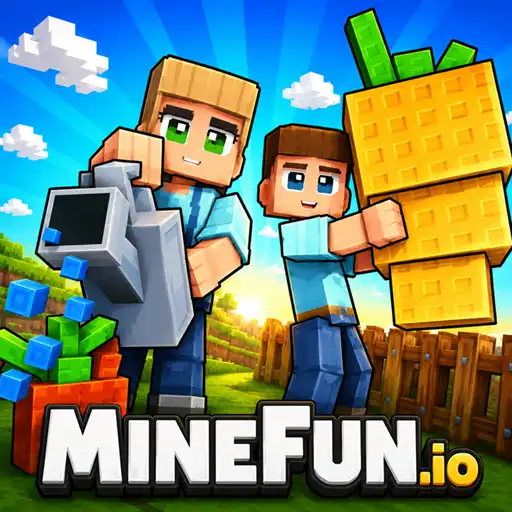
MineFun.io is a multiplayer game by Vectaria that brings several kinds of adventure into a 3D block world. You can build, jump through obstacle courses, fight other players or explore areas with hostile creatures. Its combat includes first-person shooting, but not every room is a gunfight.
Choose a mode before choosing a strategy. Protecting a respawn point, surviving a dangerous night and reaching the end of a parkour course all demand different decisions. The game also offers quieter creative and social activities when you want a break from combat.
Game Screenshots

Choose a Mode That Fits Your Goal
Player Battles and Defensive Building
Bed Wars gives you an objective worth protecting: your bed keeps respawns available until an opponent destroys it. Build a defense, gather useful equipment and look for a route to rival beds instead of chasing every possible elimination.
Sky Wars takes the fighting to floating islands. Blocks become both defensive material and a way to bridge the gaps. Reaching another island can create opportunities, but an exposed bridge leaves little room to escape an attack. The War focuses on individual gunfights and unlocking more weapons.
Survival Against Creatures
Sandbox combines exploration and crafting with dangerous areas such as underground caves containing hostile mobs, ore, loot and lava. In 99 Nights, explore the forest, gather supplies, keep the campfire burning and search for missing children. These creature-based challenges are different from Infection, where infected players pursue the remaining survivors.
Movement, Building and Exploration
Parkour is about reaching the finish through jumps and obstacles. Creative gives you space to experiment with block placement and structures, while One Block starts with very little room and grows as you collect resources and expand your platform. Hide and Seek changes the priority again: conceal yourself among the scenery or inspect it for hidden players.
The menu also includes Raid, pet collection, gardening, outfit challenges and Custom Games. Available activities can change with updates and the version hosted on a particular site; check the room's objective rather than assuming every mode follows the same rules.
Game Controls
These are common desktop controls. Mining, placement and weapon actions apply only in modes that support them; follow the current room's prompts for additional bindings.
- W A S D or ↑ ← ↓ →: move
- Move Mouse: look around and aim
- ␣ Space: jump
- C: crouch
- Shift: run
- Left Click: attack or mine, depending on the equipped item and mode
- Right Click: place a selected block in building modes
- 1–9: select an inventory slot where available
- R: reload in supported shooting modes
- Esc: open the menu and check mode-specific controls
On phones and tablets, use the on-screen movement and action controls. Their layout and available actions depend on the mode.
Play the Objective, Not Just the Fight
- Protect the bed before committing to an attack. In Bed Wars, leaving your respawn point exposed can turn one defeat into elimination. Coordinate defense and offense when playing on a team.
- Check the next island before extending a bridge. In Sky Wars, look for opponents watching your route and keep a way back instead of advancing along an exposed path without cover.
- Control your approach to a parkour jump. Line up with the landing before taking off. Speed is useful only when you can still reach the next platform reliably.
- Expand your working space first in One Block. A safer platform makes gathering and building easier; decorative expansion can wait.
- Treat hostile caves as an expedition. Prepare useful equipment before exploring, and remember the way back rather than pushing deeper into enemies and lava for one more item.
- Keep campfire upkeep part of your 99 Nights routine. Gathering and exploring should support survival, not make you forget the camp's essential resource needs.
- Practice construction without an opponent interrupting. Creative is a useful place to become comfortable with placement before relying on blocks during a battle.
Frequently Asked Questions
How do I join the same game as a friend?
Choose a mode that offers private rooms, create a room and share its current room code with your friend. They should join that room in the same mode. Room availability and capacity depend on the mode and hosted version; this is online play on separate devices, not shared-screen two-player play.
How can I avoid losing my account progress?
The official MineFun.io profile offers account linking and warns players to link their account to avoid losing it. Check whether linking is available in the version you are using, and confirm the account is connected before relying on long-term progress. Do not assume another hosting site, browser or device will automatically restore the same account.
Are skins and pets both only cosmetic?
Character skins are presented as appearance customization, not weapon upgrades. Pets should be considered separately: some equipped Garden Grow pets have specific bonuses to movement, jumping, plant growth or special-fruit chances. Read the item's description and applicable mode instead of assuming every collectible has the same effect.
What should I do if the game won't load, lags, shows a blank screen, or won't start?
Try one of these four steps:
- Clear your browser cache, then reload the game.
- Open the game in an incognito or private browsing window.
- Try a different browser, such as Microsoft Edge or Google Chrome.
- On the game cover, click Primary in the top-right corner and select a different game source, if available.
What should I do if matchmaking stays on "Connecting" or the loading circle keeps spinning?
Matchmaking can take longer when fewer players are online or when servers are busy. A persistent "Connecting" message can also indicate a connection or server issue. Try these options:
- Recommended: on the game cover, use the source selector in the top-right corner (usually labeled Primary) to try another available game source. This may help if the current source is having connection issues, but different sources may share the same matchmaking servers. If no other source is available, try the options below.
- Browse Similar Games on this site and try a similar game while you wait.
- Choose a Single Player game that does not require matchmaking. PvE games may also be suitable, but check that they support solo play: a PvE tag alone does not guarantee single-player or offline play.




Comments (0)