




















Combat Online 2

- Developer
- NadGames
- Load Speed
- Not specified
- Release Date
- 2025
- Added Site
- Oct 10, 2026
- Play Mode
- Online Multiplayer
- Local Players
- 1 Player
- Controls
- Keyboard & Mouse, Touch Controls
- Perspective
- First-Person, Third-Person
What Is Combat Online 2?
Combat Online 2 is NadGames' browser shooter built around online matches and player-made maps. You can switch between first-person and third-person views, fight other players, or choose challenges where movement and exploration matter more than eliminations.
Its community maps cover individual and team gunfights, parkour, zombie survival and puzzles. Pick the experience you want before joining: a shooting arena, an obstacle course and an escape-style map can have very different goals.
Game Screenshots
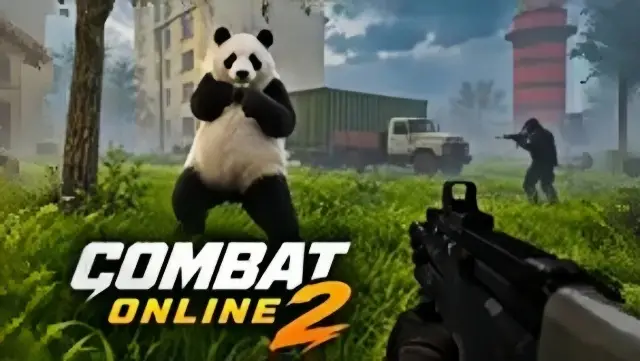
Choose a Map, Then Play Its Objective
Combat and Challenge Maps
- Deathmatch: compete against other players individually.
- Team Deathmatch: fight alongside teammates against the opposing side.
- Parkour: clear obstacle courses by controlling movement and jump timing.
- Zombie: survive incoming waves of undead, with opportunities to play alongside others.
- Puzzle: search for routes, solve obstacles and find the exit.
Browse by category rather than judging a map only by its name or artwork. Top Rated helps you find established community creations, while Newest is useful when you want unfamiliar layouts.
Weapons and Camera Choice
The arsenal includes pistols, shotguns, sniper rifles, an RPG and close-range weapons such as a knife or bat. Match your equipment to the space you are entering: a long sightline and a tight corridor call for different approaches. Use the weapon slots to change equipment and the grenade action when the situation calls for it.
Switch camera views with F. First-person keeps your attention on the aiming view; third-person shows your character and can be useful when judging a jump or a narrow landing. Try both before committing to a difficult parkour section.
Progress and Community Creation
Eliminations, match wins and completed parkour runs contribute XP toward global rankings and unlocks. The Mods catalog also lists character models and other customization content; check an item's own requirement rather than assuming all rewards use the same progression.
The in-game Map Editor lets creators design and share arenas or challenge layouts. This is a separate creation tool, not a promise that you can place defensive walls during an ordinary gunfight.
Game Controls
Desktop
- W ↑ A ← S ↓ D →: move
- Move Mouse: look around and direct your aim
- Left Click: shoot or attack
- Right Click: aim or use a scope
- ␣ Space: jump
- ⇧ Shift: sprint
- C: crouch
- R: reload
- 1–4: switch weapon slots
- G: use a grenade
- F: switch first-person / third-person view
- V: dance
- Tab: player list / pause
Phone and Tablet
Use landscape orientation, the on-screen movement joystick and buttons for shooting, aiming, jumping, reloading, crouching and camera switching. Follow the current map's prompts for actions beyond these basic controls.
Adapt to the Map, Not Just the Opponent
- Check the category before joining. A map with an unusual theme may be a puzzle or parkour course rather than a deathmatch. Knowing the goal prevents you from chasing eliminations in a challenge that rewards reaching an exit.
- Compare camera views on narrow jumps. Use third-person to see the character's position, then choose the view that makes the next landing easiest to judge. Do not change views halfway through a difficult jump while learning it.
- Learn one community map at a time. Repeat a layout long enough to recognize its routes and sightlines before hopping through Newest. That gives you a useful reference for positioning instead of encountering every corner for the first time.
- Choose equipment for your next route. Before crossing a long lane or entering a small room, select a weapon suited to that distance. A sniper's open sightline and a shotgun's close encounter are different problems.
- Give a team push more than one angle. On Team Deathmatch maps, stay close enough to support teammates without crowding the same doorway. Separate firing positions let you cover more of the player-built layout.
Frequently Asked Questions
How can I get into the same match as my friends?
Create a custom room in your preferred server region, choose a community map and invite your friends to that room. Agree on the same room and region rather than entering separate public matches and expecting to be grouped automatically.
Can I rely on guest play to keep my XP and unlocks?
Use a registered Combat Online 2 account for progress you want to keep. XP and skins are associated with the game's account, and the official terms allow inactive guest records to be cleaned up. Do not assume guest progress will transfer to a different browser, host or device.
Are Map Points the same as combat XP?
No. Map Points reflect votes on a creator's approved community maps. They measure reception of your creations, not eliminations or character-unlock XP.
Can I change a map after publishing it?
Yes. The game's creator terms allow you to edit, update, unpublish or delete your own maps through the in-game editor. A registered account is required to access the full editor; keep your creations playable and avoid unfair spawn traps or broken geometry.
What should I do if the game won't load, lags, shows a blank screen, or won't start?
Try one of these four steps:
- Clear your browser cache, then reload the game.
- Open the game in an incognito or private browsing window.
- Try a different browser, such as Microsoft Edge or Google Chrome.
- On the game cover, click Primary in the top-right corner and select a different game source, if available.
What should I do if matchmaking stays on "Connecting" or the loading circle keeps spinning?
Matchmaking can take longer when fewer players are online or when servers are busy. A persistent "Connecting" message can also indicate a connection or server issue. Try these options:
- Recommended: on the game cover, use the source selector in the top-right corner (usually labeled Primary) to try another available game source. This may help if the current source is having connection issues, but different sources may share the same matchmaking servers. If no other source is available, try the options below.
- Browse Similar Games on this site and try a similar game while you wait.
- Choose a Single Player game that does not require matchmaking. PvE games may also be suitable, but check that they support solo play: a PvE tag alone does not guarantee single-player or offline play.





Comments (0)