



















Rooftop Snipers
- Developer
- New Eich Games
- Load Speed
- Not specified
- Release Date
- Jan 7, 2017
- Added Site
- Oct 17, 2026
- Play Mode
- Single Player, Local Multiplayer
- Local Players
- 1 Player, 2 Players
- Controls
- Keyboard & Mouse, APP
What Is Rooftop Snipers?
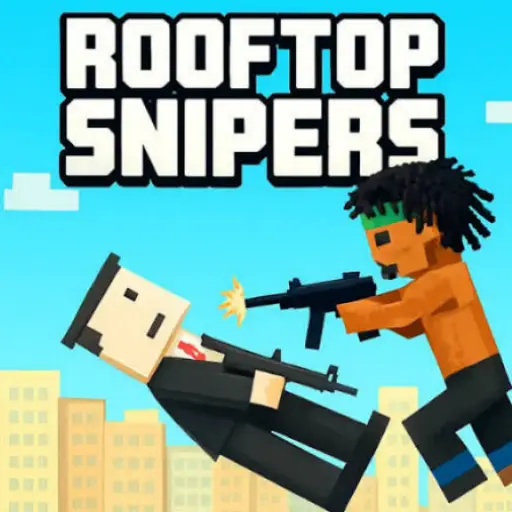
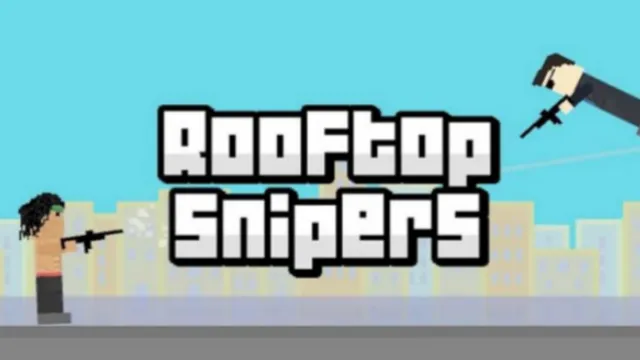
Rooftop Snipers is a pixel-art shooting duel by New Eich Games. Two fighters balance on a small rooftop, trying to knock each other off rather than work through a conventional firefight. Each player has just two actions: jump and shoot.
Play against the computer or sit beside a friend for a shared-keyboard match. The awkward, physics-driven movement is part of the challenge: a well-timed jump can avoid a shot, but an uncontrolled leap can leave you in a worse position.
Game Screenshots
How to Play Rooftop Snipers
Aim by Holding, Fire by Releasing
Hold the shoot key to raise your weapon. Watch where the barrel points, then release when the shot lines up with your opponent. This is not mouse-aimed combat, so a familiar first-person-shooter habit of pointing and clicking will not help.
Win the Push, Not Just the Hit
Your objective is to send the other fighter off the stage while staying on it yourself. A hit creates an opportunity, but keep watching the roof edge and your opponent's next jump rather than assuming one shot ends the round. In the standard match, the first player to reach five points wins.
Adjust to the Next Arena
Different environments and physical obstacles alter the available space. Read the new layout before repeating the same jump pattern. Objects such as beach balls can add another distraction, so keep track of the stage as well as the opponent.
Game Controls
Both players can use the same keyboard. Hold the shoot key to adjust the weapon angle, then release it to fire.
Player 1
- W: jump
- E: hold to aim; release to shoot
Player 2
- I: jump
- O: hold to aim; release to shoot
Menus
- Move Mouse: point to a menu option
- Left Click: select an option
The mouse is for menus, not combat aiming. The separate iPhone and iPad edition uses on-screen jump and shoot buttons.
Rooftop Snipers Duel Tips
- Watch the barrel before releasing. A useful angle matters more than holding the button for the same length of time on every shot.
- Jump in response to a threat. Constant hopping makes your own position harder to judge. Time a jump around the incoming shot, then check your landing space.
- Keep an eye on the roof edge. A clear shot is not worth taking if the movement needed to set it up leaves you without a safe landing.
- Follow a hit with observation. See where the opponent is pushed before choosing the next firing angle. Their height and position may have changed.
- Reset your plan when the scenery changes. Obstacles and extra objects can interfere with a pattern that worked in the previous round.
Download

%22%20d%3D%22M56.064%200h143.872C230.9%200%20256%2025.1%20256%2056.064v143.872C256%20230.9%20230.9%20256%20199.936%20256H56.064C25.1%20256%200%20230.9%200%20199.936V56.064C0%2025.1%2025.1%200%2056.064%200%22%2F%3E%3Cpath%20fill%3D%22%23fff%22%20d%3D%22m82.042%20185.81l.024.008l-8.753%2015.16c-3.195%205.534-10.271%207.43-15.805%204.235s-7.43-10.271-4.235-15.805l6.448-11.168l.619-1.072c1.105-1.588%203.832-4.33%209.287-3.814c0%200%2012.837%201.393%2013.766%208.065c0%200%20.126%202.195-1.351%204.391m124.143-38.72h-27.294c-1.859-.125-2.67-.789-2.99-1.175l-.02-.035l-29.217-50.606l-.038.025l-1.752-2.512c-2.872-4.392-7.432%206.84-7.432%206.84c-5.445%2012.516.773%2026.745%202.94%2031.046l40.582%2070.29c3.194%205.533%2010.27%207.43%2015.805%204.234c5.533-3.195%207.43-10.271%204.234-15.805l-10.147-17.576c-.197-.426-.539-1.582%201.542-1.587h13.787c6.39%200%2011.57-5.18%2011.57-11.57s-5.18-11.57-11.57-11.57m-53.014%2015.728s1.457%207.411-4.18%207.411H48.092c-6.39%200-11.57-5.18-11.57-11.57s5.18-11.57%2011.57-11.57h25.94c4.188-.242%205.18-2.66%205.18-2.66l.024.012l33.86-58.648l-.01-.002c.617-1.133.103-2.204.014-2.373l-11.183-19.369c-3.195-5.533-1.299-12.61%204.235-15.804s12.61-1.3%2015.805%204.234l5.186%208.983l5.177-8.967c3.195-5.533%2010.271-7.43%2015.805-4.234s7.43%2010.27%204.235%2015.804l-47.118%2081.61c-.206.497-.269%201.277%201.264%201.414h28.164l.006.275s16.278.253%2018.495%2015.454%22%2F%3E%3C%2Fsvg%3E)
App Store
Download (opens in a new tab)Official iPhone and iPad edition by Michael Eichler / New Eich Games.
Frequently Asked Questions
Can a friend join from another computer using a room code?
The original game offers side-by-side local multiplayer, not online rooms or remote matchmaking. To play each other, use the same computer and share the keyboard.
Is there an official version for iPhone or iPad?
Yes. The App Store edition is published by Michael Eichler, the developer behind New Eich Games, and provides on-screen controls. It is a separate app; installing it is not required to play the desktop browser version.
Is this the same game as Rooftop Snipers 2?
No. This page is for the original Rooftop Snipers. Rooftop Snipers 2 is a separate sequel with additional customization, so its features and menus should not be assumed to exist in the original.
What should I do if the game won't load, lags, shows a blank screen, or won't start?
Try one of these four steps:
- Clear your browser cache, then reload the game.
- Open the game in an incognito or private browsing window.
- Try a different browser, such as Microsoft Edge or Google Chrome.
- On the game cover, click Primary in the top-right corner and select a different game source, if available.
What should I do if matchmaking stays on "Connecting" or the loading circle keeps spinning?
Matchmaking can take longer when fewer players are online or when servers are busy. A persistent "Connecting" message can also indicate a connection or server issue. Try these options:
- Recommended: on the game cover, use the source selector in the top-right corner (usually labeled Primary) to try another available game source. This may help if the current source is having connection issues, but different sources may share the same matchmaking servers. If no other source is available, try the options below.
- Browse Similar Games on this site and try a similar game while you wait.
- Choose a Single Player game that does not require matchmaking. PvE games may also be suitable, but check that they support solo play: a PvE tag alone does not guarantee single-player or offline play.






Leave a Comment
Comments (0)