








Venge.io

- Developer
- OnRush Studio
- Load Speed
- Not specified
- Release Date
- 2020
- Added Site
- Oct 3, 2026
- Play Mode
- Online Multiplayer
- Local Players
- 1 Player
- Controls
- Keyboard & Mouse, Touch Controls, Gamepad
- Perspective
- First-Person
What Is Venge.io?
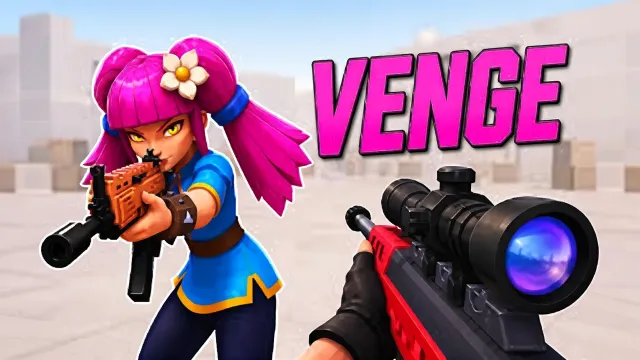
Venge.io is a free browser FPS built around fast arena combat, distinct heroes, and objectives that give each match a different focus. Shooting matters, but so does knowing when to hold a scoring zone, collect coins, or support a moving cart.
Your hero adds abilities beyond the gun in your hands. A grenade can pressure an occupied area, a dash can help you close the gap, and a grappling hook can open another route into the fight. Skill cards add effects to eligible abilities, giving you another way to shape your approach during a match.
Game Screenshots
How to Play Venge.io
Follow the mode's objective
Choose your hero and available weapon setup, then check what earns points in the room. Common modes include:
- Point: compete individually to occupy the marked scoring area. Controlling the objective matters more than chasing fights away from it.
- Black Coin: collect coins left by defeated players and deliver them to the altar to turn them into points.
- Payload: work with your team to push the cart toward the opposing side while keeping its route clear.
- Gun Game: earn kills to progress through weapon stages and complete the final stage.
Available modes and room rules can vary; follow the objective and score display in your match rather than assuming every room is a standard deathmatch.
Choose abilities that suit your approach
- Lilium: uses a grenade for area pressure and a hammer for close-range attacks.
- Shin: combines thrown shuriken with a forward dash that can damage enemies in its path.
- Echo: pairs a throwing axe with a grappling hook for rapid repositioning and access to high ground.
- Kulu: places explosive proximity totems and uses Stormbringer to attack enemies in front of him.
Eligible main abilities can carry skill-card effects. These combat cards are separate from cosmetic skins in the shop.
Adapt your weapon and route
The weapon selection includes rifles such as Scar, AK47, and M4, alongside shotguns, SMGs, sniper weapons, an LMG, and a pistol. Use a weapon suited to the distance of your next fight. Gun Game determines your weapon through its progression rules instead of letting you freely choose every stage.
Maps offer more than a direct route to the objective: Sierra has elevated terraces, Tundra has cave routes, and Temple has several approaches to its altar. Community maps and custom rooms add further layouts and rules, while the map editor lets players create their own spaces.
Game Controls
These are common desktop defaults. Check the game's control settings if your saved bindings differ.
Movement and view
- W ↑ A ← S ↓ D →: move forward, left, backward, and right
- ␣ Space: jump
- Move Mouse: look around and aim
Combat and abilities
- Left Click: fire
- Right Click or ⇧ Left Shift: aim down sights
- R: reload
- E: use your hero's melee ability
- F: use your hero's main ability, such as Lilium's grenade
- 1–9: select an available weapon, when the mode permits
- Scroll Wheel: cycle available weapons
Cards and communication
- Hold B: view or turn skill cards
- H: use an emote
- Enter: open chat
Venge.io Tips
- Build your fight around the objective. In Point, take a route that lets you contest the marked area instead of following an opponent far away from the score.
- Plan the coin delivery before collecting more. Black Coin rewards delivery, so watch the approaches to the altar rather than treating every dropped coin as an isolated pickup.
- Protect the player advancing the cart. In Payload, cover nearby entrances and check the side routes while a teammate pushes.
- Use mobility to create another angle. Echo's hook can reach a different position; Shin's dash can change your distance from an opponent. Use those abilities with a destination in mind.
- Match your hero to the space you need to control. Lilium's grenade and Kulu's totems can pressure contested areas, while more mobile heroes suit frequent repositioning.
- Choose for the next engagement, not just the last one. Check whether your route leads into a tight passage or an open sightline before selecting a close-range or longer-range weapon.
Frequently Asked Questions
How can I join a friend in Venge.io?
Share the invitation link from the lobby, or open the link your friend sends. The game also has friend and private-room features. Use the current lobby options to choose the room; an invitation does not mean two players share one device.
Can I play on a phone, tablet, or controller?
Published game information lists phone and tablet support, and the developer lists Xbox and PlayStation controller input. Exact compatibility and bindings depend on the device and game version. Keyboard and mouse are also available for desktop play.
What can I adjust if aiming feels uncomfortable?
Check the settings for mouse sensitivity, aim sensitivity, key bindings, and field of view. Change one setting at a time so you can judge its effect. Use a familiar room or map to compare your aim before making another adjustment.
Can I trade or sell items to other players?
The official Social Club includes a player market and trading features. Buying and selling require an account, and listed prices use VG. Check the current item rules and transaction details in the official interface before confirming a trade.
Is there an official desktop client?
Yes. The official client page provides Windows and Mac download links. It advertises hardware acceleration, uncapped FPS, and no advertising, but performance still depends on your computer. Use the official download page: Venge does not approve unauthorized third-party clients.
Do I need to pay to enter a match?
The browser game is free to enter. That does not make every shop item or reward free: the game has currency, skins, and other optional items. Check the current game interface for prices and reward conditions rather than relying on an old guide.






Comments (0)