
















Archery King

- Developer
- AZGames
- Load Speed
- Not specified
- Release Date
- Not specified
- Added Site
- Oct 17, 2026
- Play Mode
- Single Player
- Local Players
- 1 Player
- Controls
- Keyboard & Mouse
What Is Archery King?
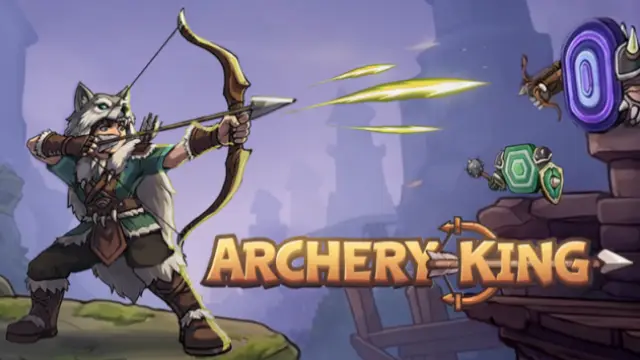
Archery King is a 2D incremental archery RPG about turning a basic archer into a stronger monster fighter. Your character attacks automatically, while extra attacks and upgrade choices help you push through increasingly demanding waves.
The challenge is not simply landing one perfect shot. You collect loot, develop skills and craft equipment, then use those improvements to overcome enemies that previously stopped your progress.
Game Screenshots
How to Play Archery King
Fight, collect and reinvest
Let the archer fire at approaching enemies and add attacks when a wave needs more damage. Defeated monsters provide coins, gems and materials. Spend those rewards on combat upgrades rather than treating each wave as an isolated fight.
Improve the right part of your attack
Damage helps against tougher individual enemies, while attack speed improves sustained pressure. Multishot adds arrows; piercing lets a projectile pass through a front enemy and reach others behind it. Use the skill tree to address the kind of wave that is holding you back.
Gather materials and craft equipment
Mining supplies materials for progression, and pickaxe improvements make gathering more efficient. Craft bows for offense and armor for protection. Equipment and skills work together: stronger arrows alone will not solve every survival problem.
Develop your build
Specialized archer classes, equipment runes and animal companions add more choices as you advance. Companions can support attacks or absorb damage, giving you another way to handle waves instead of investing everything in the same statistic.
Archery King Controls
The desktop version uses the mouse for combat and progression menus.
- Move Mouse: aim at enemies, inspect items and collect coins.
- Left Click: fire additional arrows, select upgrades, activate available skills and choose crafting options.
Basic attacks are automatic; clicking adds actions rather than replacing the automatic attack cycle.
Archery King Tips
- Identify what stops the wave. If one durable enemy survives too long, improve damage. If enemies arrive faster than you clear them, consider firing speed or attacks that reach more targets.
- Use piercing against depth, not just numbers. Its value comes from reaching enemies behind the front target; compare that benefit with adding arrows through multishot.
- Fix the material bottleneck. When crafting is held up by resource gathering, improving the pickaxe can help more than buying another small combat increase.
- Balance offense with survival. If enemies reach and damage the archer before a wave ends, consider armor or companion support instead of repeatedly increasing damage alone.
- Spend toward a clear goal. Choose the next useful skill or equipment improvement before spreading resources across unrelated upgrades.
Frequently Asked Questions
Is this the same Archery King as the competitive mobile archery game?
No. This browser version is an incremental RPG about an archer fighting monster waves. It is not Miniclip's same-name sports archery game, so guides and downloads for that title describe a different experience.
What progression is available beyond ordinary skill and equipment upgrades?
Later progression includes Mastery, Prime and Awaken. Mastery improves core statistics, while Prime and Awaken provide further development after the early upgrades.
What should I do if the game won't load, lags, shows a blank screen, or won't start?
Try one of these four steps:
- Clear your browser cache, then reload the game.
- Open the game in an incognito or private browsing window.
- Try a different browser, such as Microsoft Edge or Google Chrome.
- On the game cover, click Primary in the top-right corner and select a different game source, if available.
What should I do if matchmaking stays on "Connecting" or the loading circle keeps spinning?
Matchmaking can take longer when fewer players are online or when servers are busy. A persistent "Connecting" message can also indicate a connection or server issue. Try these options:
- Recommended: on the game cover, use the source selector in the top-right corner (usually labeled Primary) to try another available game source. This may help if the current source is having connection issues, but different sources may share the same matchmaking servers. If no other source is available, try the options below.
- Browse Similar Games on this site and try a similar game while you wait.
- Choose a Single Player game that does not require matchmaking. PvE games may also be suitable, but check that they support solo play: a PvE tag alone does not guarantee single-player or offline play.






Leave a Comment
Comments (0)