
















Bullet Bros
- Developer
- GameTornado
- Load Speed
- Not specified
- Release Date
- 2024
- Added Site
- Oct 10, 2026
- Play Mode
- Single Player
- Local Players
- 1 Player
- Controls
- Keyboard & Mouse, Touch Controls
What Is Bullet Bros?
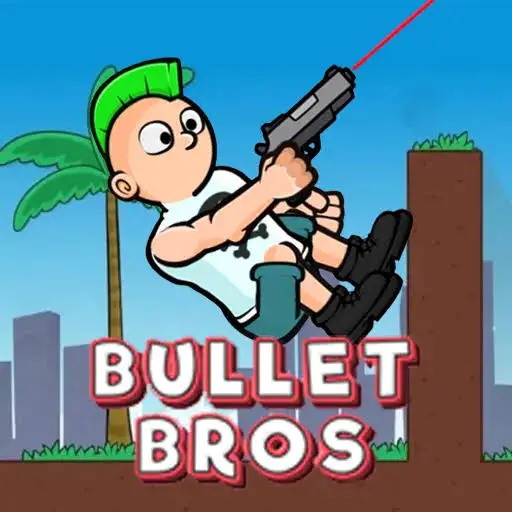
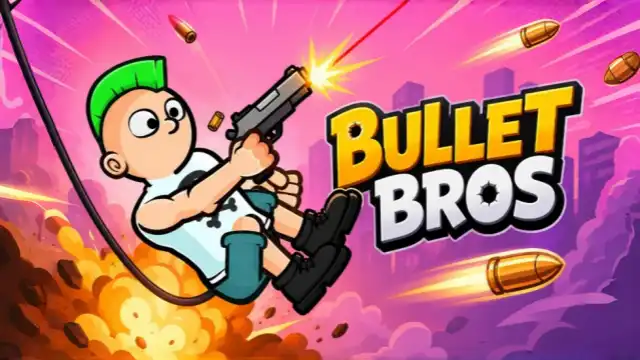
Bullet Bros is GameTornado's single-player physics platform shooter, also listed as Bullet Bro on some sites. Your gun does more than hit enemies: its recoil pushes your character through the level. Holding an input makes you jump and rotate; releasing it fires, so every attack also changes where you go next.
Clear enemies across platform layouts, learn to control your movement and unlock more guns and outfits as you progress. The challenge is finding a shot that works for both the target and your next landing, rather than treating movement and shooting as separate actions.
Game Screenshots
Turn Each Shot into a Route
Jump, Rotate, Release
Start by holding the mouse button or Space to jump and rotate. Wait until the weapon points in the direction you want, then release to shoot. Timing the release matters: keeping the input held is not the same as continuous fire, and releasing at a different angle changes both the attack and the recoil.
Plan the Hit and the Landing
Recoil sends you opposite the direction of the shot. A downward shot can help gain height, while firing away from your intended travel direction helps propel you across a gap. Look at platforms, walls and obstacles before committing. A shot that reaches an enemy can still leave you poorly placed for the next one.
Progress Through the Stages
Clear the stage's enemies to move on. More guns and outfits become available through play, but aim and timing remain the core skills. When a route fails, adjust the release angle or the position from which you fire instead of repeating the same input and hoping for a different landing.
Game Controls
Desktop
- ␣ Space: hold to jump and rotate; release to shoot
- Left Click: hold to jump and rotate; release to shoot
Space and the left mouse button are alternative inputs; you do not need a separate walking or aiming key for this basic control loop. Aim by timing the rotation, not by applying a conventional shooter's WASD and mouse-look controls.
Phone and Tablet
Touch and hold to jump and rotate, then lift your finger to shoot. Follow the same hold-and-release timing as on desktop.
Shoot with Your Next Move in Mind
- Check the route before holding. Find the next target and a useful landing area first, so you know which angle you are waiting for during the rotation.
- Think in opposite directions. A shot toward a target pushes you away from it. Allow room for that recoil rather than aiming from a position where the push carries you into trouble.
- Use height for a purpose. Firing downward can move you upward, but extra height only helps if it gives you a better route or attack angle. Check overhead obstacles before using it.
- Change one part of a failed attempt. Adjust the release timing or starting position, then watch where the recoil sends you. This makes it easier to learn a repeatable route than changing everything at once.
Download


%22%20d%3D%22M56.064%200h143.872C230.9%200%20256%2025.1%20256%2056.064v143.872C256%20230.9%20230.9%20256%20199.936%20256H56.064C25.1%20256%200%20230.9%200%20199.936V56.064C0%2025.1%2025.1%200%2056.064%200%22%2F%3E%3Cpath%20fill%3D%22%23fff%22%20d%3D%22m82.042%20185.81l.024.008l-8.753%2015.16c-3.195%205.534-10.271%207.43-15.805%204.235s-7.43-10.271-4.235-15.805l6.448-11.168l.619-1.072c1.105-1.588%203.832-4.33%209.287-3.814c0%200%2012.837%201.393%2013.766%208.065c0%200%20.126%202.195-1.351%204.391m124.143-38.72h-27.294c-1.859-.125-2.67-.789-2.99-1.175l-.02-.035l-29.217-50.606l-.038.025l-1.752-2.512c-2.872-4.392-7.432%206.84-7.432%206.84c-5.445%2012.516.773%2026.745%202.94%2031.046l40.582%2070.29c3.194%205.533%2010.27%207.43%2015.805%204.234c5.533-3.195%207.43-10.271%204.234-15.805l-10.147-17.576c-.197-.426-.539-1.582%201.542-1.587h13.787c6.39%200%2011.57-5.18%2011.57-11.57s-5.18-11.57-11.57-11.57m-53.014%2015.728s1.457%207.411-4.18%207.411H48.092c-6.39%200-11.57-5.18-11.57-11.57s5.18-11.57%2011.57-11.57h25.94c4.188-.242%205.18-2.66%205.18-2.66l.024.012l33.86-58.648l-.01-.002c.617-1.133.103-2.204.014-2.373l-11.183-19.369c-3.195-5.533-1.299-12.61%204.235-15.804s12.61-1.3%2015.805%204.234l5.186%208.983l5.177-8.967c3.195-5.533%2010.271-7.43%2015.805-4.234s7.43%2010.27%204.235%2015.804l-47.118%2081.61c-.206.497-.269%201.277%201.264%201.414h28.164l.006.275s16.278.253%2018.495%2015.454%22%2F%3E%3C%2Fsvg%3E)
Frequently Asked Questions
Do the mobile apps have ads or paid items?
The official Android listing marks ads and in-app purchases. The iPhone/iPad app is free to obtain and lists an optional ad-removal purchase. These are mobile-app details, not a promise that every browser host offers the same ad experience or purchases. Check the current store and in-game menu before buying.
Will my browser progress transfer to the Android or iOS app?
Shared saves or unlocks between the browser and mobile apps are not established by the official listings. Treat them as separate play sessions unless your version explicitly offers a transfer or sign-in feature. Installing the app should not be assumed to carry over your browser progress.
Is the App Store version a verified Mac desktop release?
Apple lists compatibility with macOS 11 or later on an Apple M1 or newer Mac, but also labels the app Designed for iPad and Not verified for macOS. That is not the same as a confirmed native Mac edition. This page links it as an iPhone/iPad app, not as a separate Mac download.
What should I do if the game won't load, lags, shows a blank screen, or won't start?
Try one of these four steps:
- Clear your browser cache, then reload the game.
- Open the game in an incognito or private browsing window.
- Try a different browser, such as Microsoft Edge or Google Chrome.
- On the game cover, click Primary in the top-right corner and select a different game source, if available.
What should I do if matchmaking stays on "Connecting" or the loading circle keeps spinning?
Matchmaking can take longer when fewer players are online or when servers are busy. A persistent "Connecting" message can also indicate a connection or server issue. Try these options:
- Recommended: on the game cover, use the source selector in the top-right corner (usually labeled Primary) to try another available game source. This may help if the current source is having connection issues, but different sources may share the same matchmaking servers. If no other source is available, try the options below.
- Browse Similar Games on this site and try a similar game while you wait.
- Choose a Single Player game that does not require matchmaking. PvE games may also be suitable, but check that they support solo play: a PvE tag alone does not guarantee single-player or offline play.





Comments (0)