
















Undead Corridor
- Developer
- Independent Studio
- Load Speed
- Not specified
- Release Date
- 2025
- Added Site
- Oct 10, 2026
- Play Mode
- Single Player
- Local Players
- 1 Player
- Controls
- Keyboard & Mouse, Touch Controls
What Is Undead Corridor?
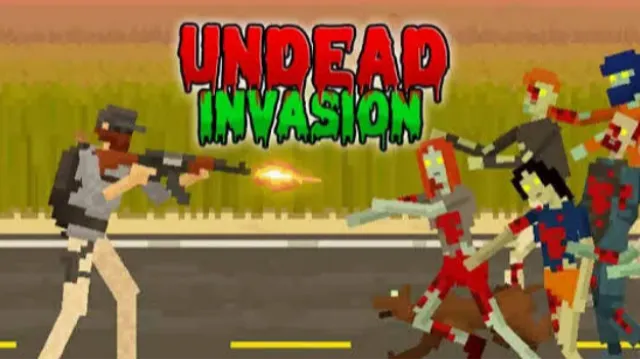
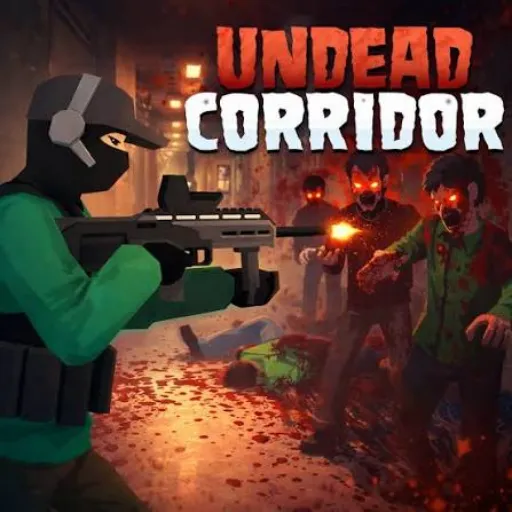
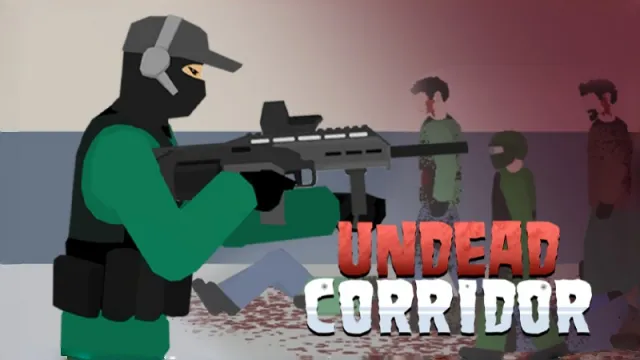
Undead Corridor is a single-player, side-view zombie shooter. Instead of fighting other players, you hold off approaching undead in cramped interiors and other survival environments. Aim your shots, keep enemies out of reach and create enough space to reload before the next group closes in.
The challenge comes from managing pressure rather than firing constantly. Zombies differ in speed and toughness, and a kick can push a nearby enemy back when your gun cannot solve the problem quickly enough. Earned money gives you access to more weapons as you continue playing.
Game Screenshots
Survival Modes and Weapon Choices
Choose the Kind of Challenge You Want
Corridors focuses on advancing through infested areas and buying weapons between them. Hospital increases the pressure as you progress, while Rooms and Street offer different survival settings. Defense changes the priority: protecting a barricade matters as much as clearing the approaching enemies. Training lets you try unlocked weapons without first earning each purchase.
Some newer builds also include Bridge and Rescue. Rescue adds living doctors to the danger zone, so identifying your target matters before taking a shot. The available mode list depends on the version loaded by the game.
Match the Weapon to the Pressure
The arsenal includes pistols, rifles and sniper weapons with different damage, firing speeds, magazine sizes and reload times. A weapon that handles individual enemies well may leave you exposed when a larger group arrives. Compare how long it can keep firing and how long its reload leaves you vulnerable, not just its damage.
Keep Space Between You and the Horde
Watch the closest threat while aiming at the next one. Faster zombies can close a gap before slower enemies do, and armored enemies may require shots at exposed areas. Use the kick as an emergency way to regain space rather than letting an enemy remain beside you while you reload.
Game Controls
Common desktop controls are listed below. Follow the current game's prompts if your hosted version differs.
- A D: move left and right
- Move Mouse: aim
- Left Click: shoot
- ␣ Space: kick
- R: reload
- Q: switch weapon
On supported phones and tablets, use the game's touch interface and tap to shoot. Touch layouts can differ from the desktop controls.
Survive the Next Rush
- Reload while there is still a gap. If your magazine is running low, use a lull to reload rather than waiting until a zombie is within kicking distance.
- Prioritize the enemy that will reach you first. A fast zombie behind a slower group can become the immediate danger. Reassess the front of the horde after each kill.
- Aim around armor. When protection covers part of a zombie, target an exposed area instead of repeatedly shooting the same protected spot.
- Test reload time before spending heavily. Training is useful for comparing how a weapon feels when its magazine runs out, not just how quickly it defeats one target.
- Defend the objective in Defense. Do not focus so narrowly on kills that you miss enemies threatening the barricade.
- Check targets in Rescue. Separate doctors from zombies before firing; indiscriminate shooting can work against the rescue objective.
Frequently Asked Questions
Will I lose purchased weapons when I die?
That depends on the mode. Rooms and Street can keep purchased weapons between attempts, while Hospital has a death-related reset rule. Check the selected mode's description before spending; do not assume that money and purchases carry over in the same way everywhere.
Does the game contain graphic violence?
Yes. It includes blood and dismemberment effects, rather than only cartoon hit flashes. Consider that before starting a session or letting a younger player use it. A setting to remove every graphic effect has not been confirmed.
What should I do if the game won't load, lags, shows a blank screen, or won't start?
Try one of these four steps:
- Clear your browser cache, then reload the game.
- Open the game in an incognito or private browsing window.
- Try a different browser, such as Microsoft Edge or Google Chrome.
- On the game cover, click Primary in the top-right corner and select a different game source, if available.
What should I do if matchmaking stays on "Connecting" or the loading circle keeps spinning?
Matchmaking can take longer when fewer players are online or when servers are busy. A persistent "Connecting" message can also indicate a connection or server issue. Try these options:
- Recommended: on the game cover, use the source selector in the top-right corner (usually labeled Primary) to try another available game source. This may help if the current source is having connection issues, but different sources may share the same matchmaking servers. If no other source is available, try the options below.
- Browse Similar Games on this site and try a similar game while you wait.
- Choose a Single Player game that does not require matchmaking. PvE games may also be suitable, but check that they support solo play: a PvE tag alone does not guarantee single-player or offline play.





Comments (0)