
















Fortzone Battle Royale
- Developer
- Mirra Games
- Load Speed
- Average (1–3 min)
- Release Date
- May 2025
- Added Site
- Jun 12, 2025
- Play Mode
- Online Multiplayer
- Local Players
- 1 Player
- Controls
- Keyboard & Mouse, Touch Controls
- Perspective
- Third-Person
What Is Fortzone Battle Royale?
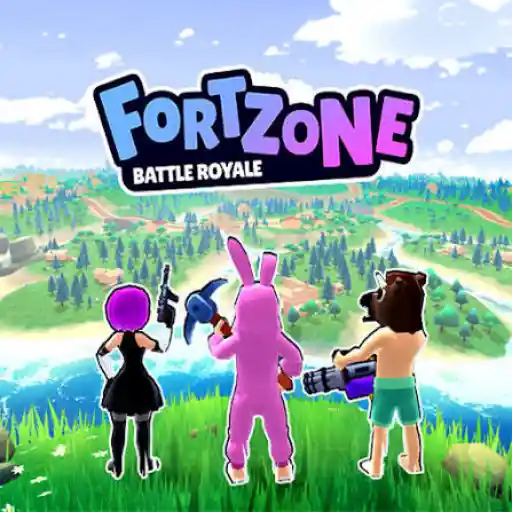
Fortzone Battle Royale is a free 3D third-person battle royale developed by Mirra Games. Each match begins above a large map, where you choose a landing point, collect weapons and supplies, and fight to become the final surviving player or team while the safe area steadily contracts.
The battlefield mixes forests, rivers, settlements, open ground, and elevated structures. Destructible objects and player-built defenses let you change the cover around you, while vehicles provide a faster—but noisier—way to cross long distances. Character appearance options include different bodies, hairstyles, clothing, and unlockable skins.
Who Made Fortzone Battle Royale?
Mirra Games released Fortzone Battle Royale in May 2025 and updated it in June 2025. The browser version uses Unity 2023 and supports desktop computers, phones, and tablets in a landscape layout.
The game combines the familiar battle royale loop with resource gathering, building, environmental destruction, vehicles, missions, and account progression. Surviving longer, completing missions, and eliminating opponents help you advance through the levels, which also unlock additional modes.
Game Screenshots

How Does Fortzone Battle Royale Play?
From the drop to the final circle
- Watch the terrain from the flying transport and choose where to land.
- Find a weapon first, then collect ammunition, recovery items, building resources, and tactical equipment.
- Use the pickaxe to break suitable objects and gather materials.
- Check the map and move before the storm reaches your route.
- Build temporary cover when crossing exposed ground or taking fire.
- Use a vehicle for long rotations, then leave it before the noise reveals your final approach.
- Adapt your weapons and position as the safe area tightens, then defeat the remaining players or teams.
Modes and progression
Single Battle Royale: available immediately and won by the final surviving player.
Team Battle Royale: unlocks at level 4 and adds squad coordination and shared survival.
Royale Duel: unlocks at level 6 and concentrates the action into a smaller one-on-one battle.
Random Mode: quickly selects from the modes you have already unlocked.
Building, destruction, and vehicles
Collected materials can be turned into fortifications that block fire, create a temporary firing angle, or make open terrain safer to cross. Many obstacles and player structures can also be damaged, so destroying cover or its lower supports can expose an opponent and open a new route.
Vehicles are most useful when the next safe area is far away or you must cross open ground quickly. Their speed comes with a tradeoff: engine noise makes your route easier for nearby opponents to notice.
Game Controls
These are the common desktop browser controls. Use the current in-game prompts if a later version changes a key.
Movement and view
- W A S D: move
- ␣ Space: jump
- C: crouch
- Move Mouse: look around and control the camera
Combat and items
- Left Click: shoot
- Right Click: aim
- R: reload
- 1–6: select a weapon or item slot
- F: interact with or use an item
Map, vehicles, and menus
- M: open the map
- Drag Mouse: steer a vehicle
- V: leave a vehicle
- T: open chat
- Tab: open the pause menu
On phones and tablets, the game uses an on-screen joystick and touch buttons for movement, aiming, shooting, building, and driving. Landscape orientation provides the intended control layout.
How Can You Survive Longer?
- Match the landing spot to your confidence. Dense settlements offer more loot but attract faster early fights; quieter outer locations give new players time to equip themselves.
- Secure a weapon before gathering everything else. Basic protection is more valuable than a full inventory when another player lands nearby.
- Keep a balanced loadout. Carry weapons for different distances while reserving room for recovery and tactical items.
- Rotate before the storm forces you. Moving early lets you choose cover and avoids entering the next zone through an opponent's prepared angle.
- Build first when the attack direction is unclear. Immediate cover buys time to locate the shooter, recover, or plan an escape.
- Use third-person vision carefully. Check around trees, walls, and building corners without exposing your whole character.
- Leave a noisy vehicle before the final approach. It can solve a long rotation but may announce your position near occupied cover.
- Attack the support of tall structures. Removing the base can be faster and safer than challenging an opponent at the top.
- Do not chase every wounded enemy. A retreat may lead you away from the safe area or toward teammates and third parties.
- Stay patient in the final circle. Let exposed opponents reveal themselves, keep watching the next zone, and avoid trapping your whole team behind one piece of cover.
Frequently Asked Questions
Can I play Fortzone Battle Royale with friends?
Yes. Team Battle Royale supports squad play and becomes available after reaching level 4. Use the current lobby options to form or join a team, because party controls can change between versions.
Why are some Fortzone Battle Royale modes locked?
Single Battle Royale is available from the start. Team Battle Royale unlocks at level 4, Royale Duel unlocks at level 6, and Random Mode chooses only from modes your account has already unlocked.
Can I play Fortzone Battle Royale on a phone or tablet?
Yes. The browser version supports desktop, mobile, and tablet devices. Mobile play uses touch controls and is designed for landscape orientation, which gives the movement and action buttons more room.
Is Fortzone Battle Royale free to play?
Yes. The browser game can be entered for free. Any optional cosmetic items or purchases shown by the current game build should be checked in the game before confirming them.
Does character customization change combat strength?
The available body, hairstyle, clothing, and skin choices are appearance options. Choose the look you prefer; weapon choice, positioning, resources, and match decisions remain the important combat factors.
What should I do if Fortzone Battle Royale is slow or does not load?
Use a current Chrome or Edge browser, enable JavaScript, WebGL, and hardware acceleration, and close other resource-heavy tabs. Lower the in-game graphics quality, use a stable connection, and switch phones or tablets to landscape orientation. If loading still fails, temporarily disable extensions that may block game files and refresh the page.
What should I do if the game won't load, lags, shows a blank screen, or won't start?
Try one of these four steps:
- Clear your browser cache, then reload the game.
- Open the game in an incognito or private browsing window.
- Try a different browser, such as Microsoft Edge or Google Chrome.
- On the game cover, click Primary in the top-right corner and select a different game source, if available.
What should I do if matchmaking stays on "Connecting" or the loading circle keeps spinning?
Matchmaking can take longer when fewer players are online or when servers are busy. A persistent "Connecting" message can also indicate a connection or server issue. Try these options:
- Recommended: on the game cover, use the source selector in the top-right corner (usually labeled Primary) to try another available game source. This may help if the current source is having connection issues, but different sources may share the same matchmaking servers. If no other source is available, try the options below.
- Browse Similar Games on this site and try a similar game while you wait.
- Choose a Single Player game that does not require matchmaking. PvE games may also be suitable, but check that they support solo play: a PvE tag alone does not guarantee single-player or offline play.




Leave a Comment
Comments (0)