
















1v1.LOL Unblocked

- Developer
- JustPlay.LOL
- Load Speed
- Average (1–3 min)
- Release Date
- May 17, 2020
- Added Site
- Jun 12, 2025
- Play Mode
- Single Player, Online Multiplayer
- Local Players
- 1 Player
- Controls
- Keyboard & Mouse, Gamepad
- Perspective
- Third-Person
Finding Your Way Back to 1v1.LOL
For many players looking for a quick break in a school computer lab or at the office, 1v1.lol unblocked is a go-to search. With its mix of fast building and shooting, this browser game became a favorite for breaks between classes and a little lunchtime fun: no download, just open the page and play.
Then the school or workplace firewall gets in the way. IT administrators block many popular gaming websites, leaving players searching for a working unblocked link whenever they want to jump back into a match.
Game Screenshots

Why Old Unblocked Links Can Stop Working
Players have long turned to third-party proxy sites or game mirrors to find a way back in, including Classroom 6x-style pages hosted on Google Sites. But those old links now face another problem: the original developer, JustPlay.LOL, shut down the official service in late 2025.
That means an old Unblocked bookmark that still relies on those servers can leave you staring at a loading screen that goes nowhere, or a connection error instead of the lobby you remember. If you are wondering what happened, our What Happened to 1v1 LOL? article tells the story.
Switch Game Lines on GunGames.cc
GunGames.cc provides this dedicated 1v1.LOL Unblocked page with the classic browser build and a choice of game lines. We are an independent community-run website. If the selected resource stays blank or will not load, another available line is worth trying.
- Return to the game cover. If you have already pressed Play, reload the page to show the cover and its line selector again.
- Click the current line name in the cover's upper-right corner. This page currently offers Primary-US and Backup-EU.
- Select the other line, then press Play to load it.
The selector loads a different configured game resource; it does not change your browser's network permissions. It may help when one resource or its connection is unavailable
Back to Building and Shooting
This page uses the same classic 1v1.LOL build as our main game page, with the familiar loop of building cover, finding an angle and landing a shot. Browser play can be convenient on a Chromebook or a modest laptop, although performance depends on the device, browser and selected service. Use a physical keyboard and mouse, close unnecessary tabs and check the in-game settings if the action feels sluggish.
Ready to pick up those old habits? Use W A S D to move and Q Z C V for the familiar building shortcuts. Check your current keybinds before a match if you have customized them.
A working entry point lets you get back to what made the game memorable: quick decisions, a well-placed wall and one more duel. Choose an available line, let the game load and give those building reflexes another workout.
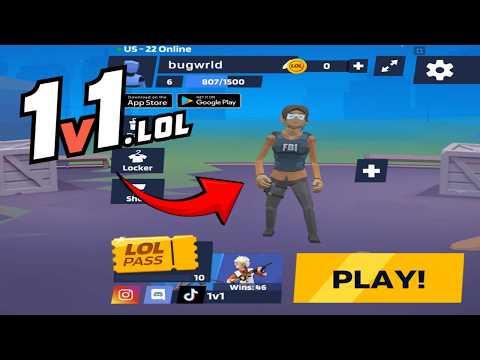
1v1 LOL Gameplay
Watch 1v1 LOL gameplay and learn the basics.
Frequently Asked Questions
Can I play 1v1 LOL at school or on a Chromebook?
Yes. It runs in any modern browser with WebGL, Chromebooks included, and needs no install or extension. If your network filters game sites, the 1v1 LOL unblocked page loads the game directly.
Can I play 1v1 LOL on mobile?
Yes, but you will need a compatible gamepad to play. This is the 1v1.lol old version, which does not support touchscreen controls, so it cannot be played directly with touch input.
How is my progress saved?
Your guest profile and progress are stored locally in this browser. Changing browser or device, using private browsing, or clearing site data can reset that local progress.
What is the difference between JustBuild.LOL, 1v1 LOL, and 1v1 LOL Pro?
What should I do if the game won't load, lags, shows a blank screen, or won't start?
Try one of these four steps:
- Clear your browser cache, then reload the game.
- Open the game in an incognito or private browsing window.
- Try a different browser, such as Microsoft Edge or Google Chrome.
- On the game cover, click Primary in the top-right corner and select a different game source, if available.
What should I do if matchmaking stays on "Connecting" or the loading circle keeps spinning?
Matchmaking can take longer when fewer players are online or when servers are busy. A persistent "Connecting" message can also indicate a connection or server issue. Try these options:
- Recommended: on the game cover, use the source selector in the top-right corner (usually labeled Primary) to try another available game source. This may help if the current source is having connection issues, but different sources may share the same matchmaking servers. If no other source is available, try the options below.
- Browse Similar Games on this site and try a similar game while you wait.
- Choose a Single Player game that does not require matchmaking. PvE games may also be suitable, but check that they support solo play: a PvE tag alone does not guarantee single-player or offline play.



Comments (0)