
















1v1 LOL Old Version

- Developer
- JustPlay.LOL
- Load Speed
- Average (1–3 min)
- Release Date
- May 17, 2020
- Added Site
- Jun 12, 2025
- Play Mode
- Single Player, Online Multiplayer
- Local Players
- 1 Player
- Controls
- Keyboard & Mouse, Gamepad
- Perspective
- Third-Person
What Is the 1v1 LOL Old Version?
This page opens the same classic version 3.9 resource configuration used by our main 1v1 LOL page. It is intended for players looking for the older building-and-shooting experience, not the newest major redesign.
An older hosted build is not the same thing as restoring the original official service. Loading, lobbies and online matches still depend on the resources and services available through the selected line.
Game Screenshots

Game Features
The classic page focuses on one-on-one build fights. If you only want to practise construction, JustBuild.LOL is the early building-only demo. For the larger redesign, visit 1v1 LOL Pro. These pages represent different builds, so do not assume that every mode, control or account feature is identical.
How to Play
Press Play, wait for the selected build to load and review its control menu. Start with a short building warm-up if you have not played for a while. The classic build uses physical controls; mobile visitors should check compatible controller support instead of expecting the touch interface of a different version.
If a familiar lobby never finds an opponent, try another available line or return later. A loaded old client does not guarantee an active queue. Building practice is still a useful alternative while online matching is unavailable.
Tips for Success
Rebuild your muscle memory with simple cover, ramp and weapon-switch sequences before attempting rapid edits. Keep your aim on the opponent's likely angle and avoid building higher than you can safely defend. Returning players should verify their keybinds rather than assuming every hosted version kept their old settings.
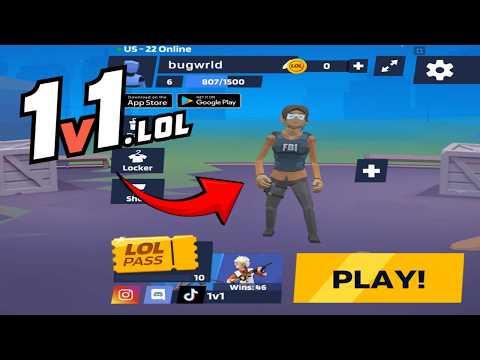
1v1 LOL Gameplay
Watch 1v1 LOL gameplay and learn the basics.
Frequently Asked Questions
Is this the original game?
gungames.cc is an independent, community-run project. It is not affiliated with the original developers and does not claim to be the official game. It exists for a simple reason: a lot of people still want to play, and somebody had to keep the lights on.
Can I play 1v1 LOL on mobile?
Yes, but you will need a compatible gamepad to play. This is the 1v1.lol old version, which does not support touchscreen controls, so it cannot be played directly with touch input.
How is my progress saved?
Your guest profile and progress are stored locally in this browser. Changing browser or device, using private browsing, or clearing site data can reset that local progress.
What is the difference between JustBuild.LOL, 1v1 LOL, and 1v1 LOL Pro?
What should I do if the game won't load, lags, shows a blank screen, or won't start?
Try one of these four steps:
- Clear your browser cache, then reload the game.
- Open the game in an incognito or private browsing window.
- Try a different browser, such as Microsoft Edge or Google Chrome.
- On the game cover, click Primary in the top-right corner and select a different game source, if available.
What should I do if matchmaking stays on "Connecting" or the loading circle keeps spinning?
Matchmaking can take longer when fewer players are online or when servers are busy. A persistent "Connecting" message can also indicate a connection or server issue. Try these options:
- Recommended: on the game cover, use the source selector in the top-right corner (usually labeled Primary) to try another available game source. This may help if the current source is having connection issues, but different sources may share the same matchmaking servers. If no other source is available, try the options below.
- Browse Similar Games on this site and try a similar game while you wait.
- Choose a Single Player game that does not require matchmaking. PvE games may also be suitable, but check that they support solo play: a PvE tag alone does not guarantee single-player or offline play.




Comments (0)