
















1v1 LOL Poor Bunny

- Developer
- JustPlay.LOL
- Load Speed
- Average (1–3 min)
- Release Date
- May 17, 2020
- Added Site
- Jun 12, 2025
- Play Mode
- Single Player, Online Multiplayer
- Local Players
- 1 Player
- Controls
- Keyboard & Mouse, Gamepad
- Perspective
- Third-Person
What Does 1v1 LOL Poor Bunny Refer To?
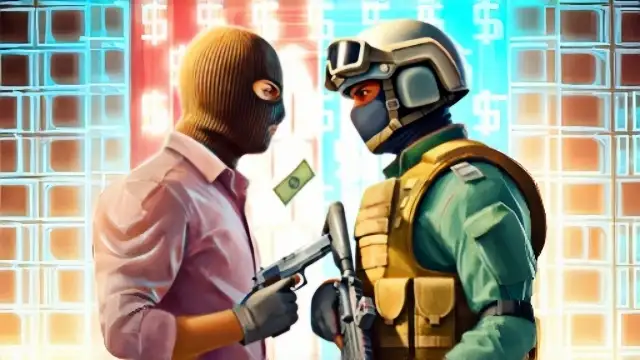
The name of this page preserves the older 1v1 LOL Poor Bunny search entry. The player itself runs the same classic 1v1 LOL build as the main game page. It is not a verified bunny-themed modification.
If you expected a rabbit character or carrot weapons, this player is not that experience. Those descriptions from the old page have been removed because they did not describe the game resource used here. Check the cover and game information before starting.
Game Screenshots

Game Features
The actual game is a third-person building shooter. Structures help you block incoming shots and find an angle on an opponent. The Poor Bunny wording does not replace the character, weapons or building system with different themed mechanics.
How to Play
Press Play if you want a classic 1v1 LOL build fight, then check its control settings before joining a match. If you were looking for another game, return to Shooting Games and search for that exact title rather than treating this combined phrase as proof of a separate edition.
Tips for Success
For the 1v1 LOL game loaded here, focus on staying behind usable cover while keeping track of the opponent. Move to a new firing angle after an exposed shot. Practise these building-and-shooting decisions in the actual game instead of following rabbit-specific advice that does not apply.
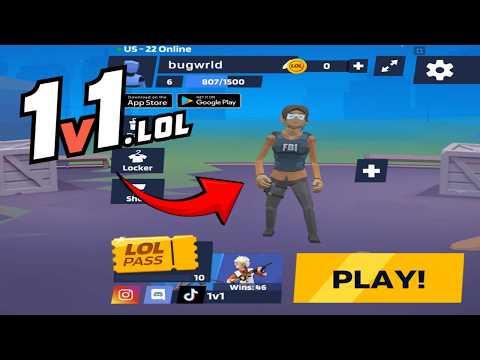
1v1 LOL Gameplay
Watch 1v1 LOL gameplay and learn the basics.
Frequently Asked Questions
Is this the original game?
gungames.cc is an independent, community-run project. It is not affiliated with the original developers and does not claim to be the official game. It exists for a simple reason: a lot of people still want to play, and somebody had to keep the lights on.
Can I play 1v1 LOL on mobile?
Yes, but you will need a compatible gamepad to play. This is the 1v1.lol old version, which does not support touchscreen controls, so it cannot be played directly with touch input.
How is my progress saved?
Your guest profile and progress are stored locally in this browser. Changing browser or device, using private browsing, or clearing site data can reset that local progress.
What is the difference between JustBuild.LOL, 1v1 LOL, and 1v1 LOL Pro?
What should I do if the game won't load, lags, shows a blank screen, or won't start?
Try one of these four steps:
- Clear your browser cache, then reload the game.
- Open the game in an incognito or private browsing window.
- Try a different browser, such as Microsoft Edge or Google Chrome.
- On the game cover, click Primary in the top-right corner and select a different game source, if available.
What should I do if matchmaking stays on "Connecting" or the loading circle keeps spinning?
Matchmaking can take longer when fewer players are online or when servers are busy. A persistent "Connecting" message can also indicate a connection or server issue. Try these options:
- Recommended: on the game cover, use the source selector in the top-right corner (usually labeled Primary) to try another available game source. This may help if the current source is having connection issues, but different sources may share the same matchmaking servers. If no other source is available, try the options below.
- Browse Similar Games on this site and try a similar game while you wait.
- Choose a Single Player game that does not require matchmaking. PvE games may also be suitable, but check that they support solo play: a PvE tag alone does not guarantee single-player or offline play.




Comments (0)