









Repuls.io
- Developer
- Docski
- Load Speed
- Not specified
- Release Date
- 2020
- Last Updated
- Play Mode
- Online Multiplayer
- Local Players
- 1 Player
- Controls
- Keyboard & Mouse, Touch Controls, APP
- Perspective
- First-Person
What Is Repuls.io?
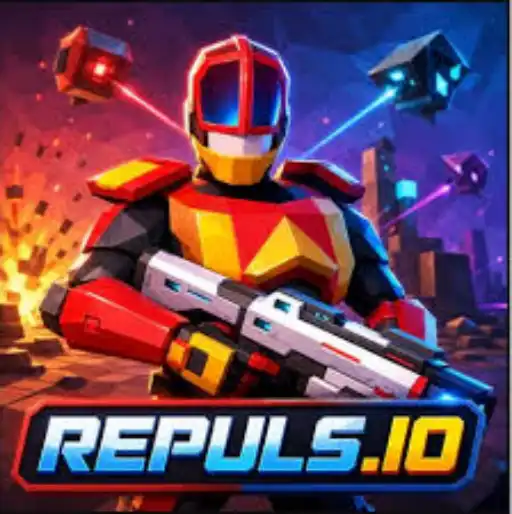
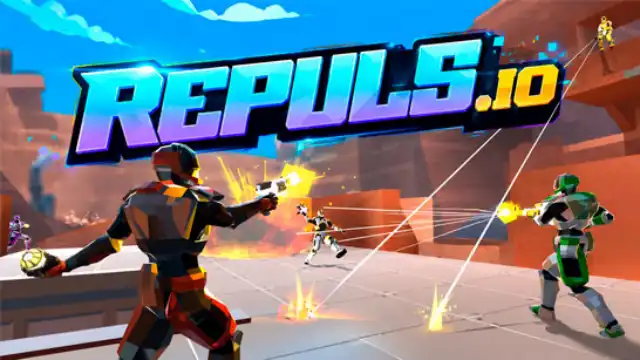
Repuls.io is a free multiplayer sci-fi FPS by Docski. You play an armored soldier in battles where guns, movement abilities and vehicles all matter. A firefight can shift from infantry combat to a chase on a bike or an attack by a towering mech.
You can play in a browser without installing a client. Rather than building structures or waiting through a battle-royale elimination, the focus is on online firefights and match objectives.
Game Screenshots
Weapons, Movement and Battlefield Objectives
Choose a match and follow its objective
The Warfare, Hardcore and Casual playlists offer different maps and rules. Match variants include free-for-all, team deathmatch, capture the flag, control points and weapon-restricted battles. Follow the active objective: in a flag or control-point match, chasing kills away from the target can leave your team exposed.
Combine your loadout with mobility
Rifles, shotguns, sniper weapons and explosive guns suit different distances. Your equipped ability, such as a grapple or push, is separate from your usable item. Use that extra movement to change an angle or get away from an exposed position rather than relying on your gun alone.
Use vehicles when the map allows
Bikes, jeeps, tanks, aircraft and mechs expand the fight beyond infantry. Vehicle availability depends on the map and mode, so learn the nearby routes before committing to one. Weapons and equipment found around the battlefield can also change what you can do after spawning.
Matches award experience toward levels, while credits and cosmetic unlocks give you longer-term goals. Weapon skins, helmets and other soldier accessories let you customize your appearance.
Game Controls
These are the current official desktop bindings. Keys can be changed in Settings, so check your saved layout if an action differs.
- W A S D: move
- Move Mouse: look around and aim
- Left Click: fire
- Right Click: aim down sights
- Space: jump
- R: reload
- 1: switch weapons
- 2: use the equipped ability, such as grapple or push
- 3: use the equipped item
- Q: melee strike
- E: interact or pick up an item
Phones and tablets use on-screen controls. Desktop Settings also include sensitivity, field of view and crosshair adjustments.
Practical Combat Tips
- Keep ability and item inputs separate. Practise activating each before a fight; accidentally using equipment instead of your grapple can leave you stranded.
- Change routes with your grapple. A different height or approach can give you a new firing angle when an enemy already covers the main path.
- Force enemies out of cover. Use an equipped grenade to pressure a hiding opponent, then watch the escape route instead of rushing blindly around the same corner.
- Match your gun to the engagement. Close the distance with a shotgun or switch to a suitable ranged weapon rather than trading ineffective shots across the map.
- Support the objective before chasing a vehicle. A powerful ride is useful only if it helps reach, protect or attack the location that decides the match.
Download


Frequently Asked Questions
Are all opponents real players?
No. Online matches can also include AI bots, and the game uses bot labels. Meeting bots does not mean you have entered a separate offline mode.
Can I join friends in Repuls.io?
Yes. Use the friend and party features to join together, or share an available match-invite link. Make sure everyone uses the same hosted version; social features can differ between platforms.
Does Repuls.io require payment?
Basic browser play is free. The official Android app is also free to install and contains advertising, including optional rewarded-ad opportunities.
Why is the game difficult to aim in on my device?
Try a lower resolution in Settings, then adjust mouse sensitivity and the separate aim-sensitivity slider. Change one setting at a time so you can tell whether the problem is frame rate or an overly sensitive aim.
What should I do if the game won't load, lags, shows a blank screen, or won't start?
Try one of these four steps:
- Clear your browser cache, then reload the game.
- Open the game in an incognito or private browsing window.
- Try a different browser, such as Microsoft Edge or Google Chrome.
- On the game cover, click Primary in the top-right corner and select a different game source, if available.
What should I do if matchmaking stays on "Connecting" or the loading circle keeps spinning?
Matchmaking can take longer when fewer players are online or when servers are busy. A persistent "Connecting" message can also indicate a connection or server issue. Try these options:
- Recommended: on the game cover, use the source selector in the top-right corner (usually labeled Primary) to try another available game source. This may help if the current source is having connection issues, but different sources may share the same matchmaking servers. If no other source is available, try the options below.
- Browse Similar Games on this site and try a similar game while you wait.
- Choose a Single Player game that does not require matchmaking. PvE games may also be suitable, but check that they support solo play: a PvE tag alone does not guarantee single-player or offline play.



Leave a Comment
Comments (0)