
















Monkey Type 1v1 LOL

- Developer
- JustPlay.LOL
- Load Speed
- Average (1–3 min)
- Release Date
- May 17, 2020
- Added Site
- Jun 12, 2025
- Play Mode
- Single Player, Online Multiplayer
- Local Players
- 1 Player
- Controls
- Keyboard & Mouse, Gamepad
- Perspective
- Third-Person
Monkey Type 1v1 LOL: When Typing Tests Meet Build Fights
One is a minimalist typing-test website used by students, programmers and keyboard enthusiasts. The other is a 3D third-person game built around quick construction, edits and close-range shooting. Monkeytype and 1v1.LOL seem worlds apart, yet players searching for browser games sometimes bring them together in the phrase “monkey type 1v1 lol.”
Behind that combination are familiar parts of Chromebook gaming culture: typing tools beside game tabs, mirrors borrowing an educational appearance, and a short keyboard warm-up before a build fight. They remain two separate applications—not a special Monkeytype edition of 1v1.LOL.
Game Screenshots

Monkeytype vs. 1v1.LOL: Two Different Kinds of Finger Skill
| Feature | Monkeytype | 1v1.LOL |
|---|---|---|
| Purpose | Typing-speed tests and accuracy practice | Third-person building and shooting battles |
| Browser Access | Type directly on the page; no app installation | Play in a browser after game resources load |
| Keyboard Focus | Letter keys across the keyboard | Movement, building and editing shortcuts |
| Performance | WPM and typing accuracy | Positioning, build/edit timing and shot accuracy |
| Network Needs | A typing test does not need live opponent matchmaking | Online fights require a working multiplayer connection |
The classic 3.9 game embedded above uses W A S D for movement, Z for walls, X for ramps, C for floors, V for roofs and G for building edits. Pro has its own control settings; do not assume every version uses the same keys.
Why Do Old Typing-Themed 1v1.LOL Bookmarks Fail?
An old typing-themed page may still open while its game canvas stays black, loops at “Connecting to Server”, or loads offline bots. The outer page and the game inside it are not the same system.
JustPlay.LOL closed the original official 1v1.LOL servers on November 3, 2025. Mirrors embedding that old client through an iframe still needed its backend for the lobby and matches. A working title, favicon or typing interface could not keep that connection alive.
Some remaining pages instead load an early offline practice build. You can move and shoot, but bots do not replace a live opponent's building, edits or decisions. For the background and the versions available now, read what happened to 1v1 lol?.
Return to Live Build Fights Without a Typing-Themed Wrapper
You do not need a disguised typing page to play on GunGames.cc. Click Play in the game area above for the familiar classic version, or open 1v1 LOL Pro for the community 1v1.LOL RELOADED version.
Pro is embedded directly in the browser—no Windows client or Android APK is required. Its lobby offers online modes and Party room codes for playing with friends. Classic and Pro are different versions of the same family, with different controls and progress systems; choose the experience you want rather than another old mirror.
For building-only practice before a match, JustBuild.LOL keeps the focus on construction. If you prefer an optional standalone client at home, the 1v1 LOL Download guide covers those choices.
A Five-Minute Typing and Build-Fight Warm-Up
Use typing as a short finger warm-up, then practise the actual game inputs. The aim is a comfortable rhythm and fewer mistakes, not maximum speed from the first second.
- Two minutes: relaxed typing practice. In Monkeytype's Custom mode, try a short set such as
wasd qwer zxcv fast craft vest. Run two 30-second tests, using the remaining time to pause and correct awkward finger movements. Prioritise accuracy and keep your hands relaxed. - One minute: check keys and sensitivity. Enter the game you intend to play and confirm its building and edit bindings. In the classic version above, use Z/X/C/V for structures and G for editing. If you customise your keys or mouse side buttons, stick with a layout you can reach without interrupting movement.
- Two minutes: turn input into a useful sequence. Start in building practice or a suitable private match. Place a wall, open a safe edit, take a shot and close the opening again. Repeat slowly enough to keep your aim under control, then add movement. In Pro, you can share a Party code with a friend for a supported Box Fight session.
Typing accuracy and build-fight timing are different skills. This routine gives each its own practice: first settle your fingers, then train the construction, camera movement and shooting you will actually use. A clean edit and a well-aimed shot matter more than frantic key presses.
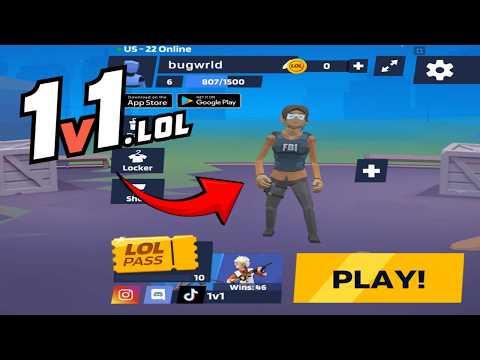
1v1 LOL Gameplay
Watch 1v1 LOL gameplay and learn the basics.
Frequently Asked Questions
Is this the original game?
gungames.cc is an independent, community-run project. It is not affiliated with the original developers and does not claim to be the official game. It exists for a simple reason: a lot of people still want to play, and somebody had to keep the lights on.
Can I play 1v1 LOL on mobile?
Yes, but you will need a compatible gamepad to play. This is the 1v1.lol old version, which does not support touchscreen controls, so it cannot be played directly with touch input.
How is my progress saved?
Your guest profile and progress are stored locally in this browser. Changing browser or device, using private browsing, or clearing site data can reset that local progress.
What is the difference between JustBuild.LOL, 1v1 LOL, and 1v1 LOL Pro?
What should I do if the game won't load, lags, shows a blank screen, or won't start?
Try one of these four steps:
- Clear your browser cache, then reload the game.
- Open the game in an incognito or private browsing window.
- Try a different browser, such as Microsoft Edge or Google Chrome.
- On the game cover, click Primary in the top-right corner and select a different game source, if available.
What should I do if matchmaking stays on "Connecting" or the loading circle keeps spinning?
Matchmaking can take longer when fewer players are online or when servers are busy. A persistent "Connecting" message can also indicate a connection or server issue. Try these options:
- Recommended: on the game cover, use the source selector in the top-right corner (usually labeled Primary) to try another available game source. This may help if the current source is having connection issues, but different sources may share the same matchmaking servers. If no other source is available, try the options below.
- Browse Similar Games on this site and try a similar game while you wait.
- Choose a Single Player game that does not require matchmaking. PvE games may also be suitable, but check that they support solo play: a PvE tag alone does not guarantee single-player or offline play.




Comments (0)