
















1v1 LOL TopVaz

- Developer
- JustPlay.LOL
- Load Speed
- Average (1–3 min)
- Release Date
- May 17, 2020
- Added Site
- Jun 12, 2025
- Play Mode
- Single Player, Online Multiplayer
- Local Players
- 1 Player
- Controls
- Keyboard & Mouse, Gamepad
- Perspective
- Third-Person
1v1 LOL TopVaz: From School-Browser Favorite to Live Multiplayer Again
For players looking for browser games on a school Chromebook or an office network, “1v1 lol topvaz” became a familiar search. Like Classroom 6x and Unblocked Games 76, TopVaz offered a simple place to find games during a break. Among its many browser titles, 1v1.LOL stood out for its combination of fast building and third-person shooting.
Recently, many old bookmarks have led to endless loading screens or a game filled with unresponsive bots instead of other players. To get back to those build fights with friends, it helps to understand how TopVaz hosted the game—and what changed after the original service closed.
Game Screenshots

What Is TopVaz, and Why Did 1v1.LOL Players Use It?
TopVaz is a browser-game portal collecting HTML5 and WebGL titles. When school networks used filters such as GoGuardian, Securly or Lightspeed to restrict gaming domains, alternative portals became familiar entrances. Three features helped TopVaz appeal to players:
- Static hosting and mirror addresses. TopVaz mirrors appeared on platforms such as
.github.io, Firebase and various subdomains. These services also hosted programming and educational projects, so filtering entire platforms was less straightforward than blocking a single gaming domain. - A lightweight interface. Its simple icon grid kept navigation uncluttered. On a Chromebook with limited memory, a lighter page left more resources available for the game's 3D rendering.
- A recognizable game collection. Titles such as Slope, Drive Mad, Retro Bowl and Subway Surfers brought players back, while 1v1.LOL offered something different: quick browser access and building mechanics with plenty of room to improve.
A mirror could provide another entrance, but it did not replace the multiplayer servers behind the game.
Why Does 1v1.LOL on TopVaz Stop Loading or Become an Offline Game?
If an old TopVaz bookmark stopped working in late 2025 or 2026, the problem may be the game source rather than your computer. JustPlay.LOL closed the original official servers on November 3, 2025. TopVaz pages embedding the old client through an iframe still depended on that backend.
That left players facing two common outcomes:
- A black screen or connection loop. Unmaintained mirrors can still point to the discontinued service. The surrounding page opens, but the game remains stuck at “Connecting to Server” or fails to start.
- An offline bot build instead of multiplayer. Some mirrors launch an early practice package. You can move and shoot, but there is no live lobby, friend party or online progression. Basic AI opponents do not recreate the building and editing decisions of a real player.
Offline practice can still be useful, but it is not the multiplayer experience most people want when searching for TopVaz. For the story behind the shutdown, read what happened to 1v1 lol?.
Leave Old Mirrors Behind and Return to Live Build Fights
You do not need to work through a long list of abandoned mirrors to play again. After the original shutdown, the community rebuilt a multiplayer service in 1v1.LOL RELOADED. On GunGames.cc, 1v1 LOL Pro embeds that version directly: open it in your browser and play without downloading a Windows client or Android APK.
| Feature | Old TopVaz Mirrors | 1v1 LOL Pro / RELOADED |
|---|---|---|
| Servers | Original official service closed in November 2025 | A separately maintained community multiplayer service |
| Opponents | Failed connections or offline practice bots | Live multiplayer and ranked matches |
| Modes | Some builds offer only a basic practice arena | 60-player Battle Royale, 1v1 Clash, 2v2 Box Fight and Zone Wars |
| Browser Access | Extra embedding layers and ads vary by mirror | Play the embedded game directly on GunGames.cc |
| Progress | Offline packages lack online account progression | Guest play or Google sign-in for saved progress |
For the familiar classic 3.9 version, use the game area above or visit 1v1 LOL. Classic and Pro are different versions of the same game family; choose the one that fits the experience you want.
Quick Controls and Playing with Friends
Click Play in the game area above to start the classic version. A few essentials will help you get back into the rhythm:
- Classic controls. Use W A S D to move and Left Click to shoot. On this page's classic build, Z selects walls, X ramps, C floors and V roofs. Use G to open and confirm building edits.
- Party codes in Pro. To play with friends in Pro, create a Party in its lobby and share the room code. Pick a supported group mode such as 2v2 Box Fight, and focus on the build-and-shoot battles you came for.
- Optional clients at home. Prefer a separate app on your PC or Android device? Our 1v1 LOL Download guide covers the Windows client and Android APK. Neither is required to play Pro in your browser.
“1v1 lol topvaz” captures a memorable part of browser gaming: finding a quick game and sharing it with friends during a break. The old mirrors may have changed, but the appeal of building, editing and outplaying another person is still here. Choose classic or Pro, click Play, and get back into the arena.
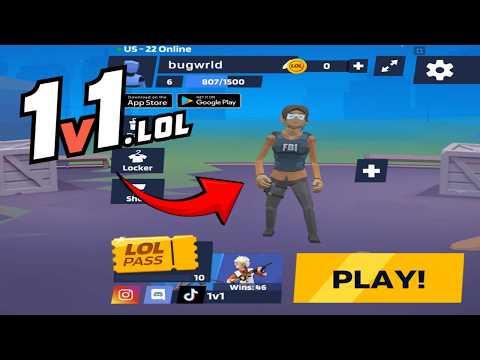
1v1 LOL Gameplay
Watch 1v1 LOL gameplay and learn the basics.
Frequently Asked Questions
Is this the original game?
gungames.cc is an independent, community-run project. It is not affiliated with the original developers and does not claim to be the official game. It exists for a simple reason: a lot of people still want to play, and somebody had to keep the lights on.
Can I play 1v1 LOL on mobile?
Yes, but you will need a compatible gamepad to play. This is the 1v1.lol old version, which does not support touchscreen controls, so it cannot be played directly with touch input.
How is my progress saved?
Your guest profile and progress are stored locally in this browser. Changing browser or device, using private browsing, or clearing site data can reset that local progress.
What is the difference between JustBuild.LOL, 1v1 LOL, and 1v1 LOL Pro?
What should I do if the game won't load, lags, shows a blank screen, or won't start?
Try one of these four steps:
- Clear your browser cache, then reload the game.
- Open the game in an incognito or private browsing window.
- Try a different browser, such as Microsoft Edge or Google Chrome.
- On the game cover, click Primary in the top-right corner and select a different game source, if available.
What should I do if matchmaking stays on "Connecting" or the loading circle keeps spinning?
Matchmaking can take longer when fewer players are online or when servers are busy. A persistent "Connecting" message can also indicate a connection or server issue. Try these options:
- Recommended: on the game cover, use the source selector in the top-right corner (usually labeled Primary) to try another available game source. This may help if the current source is having connection issues, but different sources may share the same matchmaking servers. If no other source is available, try the options below.
- Browse Similar Games on this site and try a similar game while you wait.
- Choose a Single Player game that does not require matchmaking. PvE games may also be suitable, but check that they support solo play: a PvE tag alone does not guarantee single-player or offline play.



Comments (0)