
















1v1 LOL School

- Developer
- JustPlay.LOL
- Load Speed
- Average (1–3 min)
- Release Date
- May 17, 2020
- Added Site
- Jun 12, 2025
- Play Mode
- Single Player, Online Multiplayer
- Local Players
- 1 Player
- Controls
- Keyboard & Mouse, Gamepad
- Perspective
- Third-Person
1v1 LOL School: The Computer-Room Favorite and a Chromebook Play Guide
In school computer rooms around the world, the back rows often had a familiar soundtrack: rapid, rhythmic keyboard taps. On screen, students were not racing to finish an essay. They were building ramps and cover, editing an opening and lining up a midair shotgun shot in 1v1.LOL.
“1v1 lol school” became more than a search for a playable link. It captured a small piece of school-browser culture: short matches, friendly rivalries and sharing a room with classmates during a break. But after the original servers closed in late 2025, many familiar bookmarks began leading to black screens. To return to live Box Fights, it helps to understand the old links, the available versions and the settings that suit a Chromebook.
Game Screenshots

Why Did 1v1.LOL Become a School Computer-Room Favorite?
There is no shortage of good shooters, but large installations such as Fortnite or Valorant are not practical on many school computers. 1v1.LOL fit that environment in four important ways:
- No installation or administrator rights needed. Shared computers and school-issued laptops often restrict executable installers. A WebGL game runs in a browser tab instead, without a separate desktop installation.
- A lighter option for basic Chromebooks. Simple geometry and compact arenas made the classic version appealing on entry-level hardware without a dedicated graphics card.
- Short matches for short breaks. A focused 1v1 fight did not require committing to a long session. Players could practise a few builds or finish a quick duel when they had a little free time.
- Easy matches with friends. Party room codes made it simple to bring classmates into a supported private mode. A short code could turn an individual browser game into a shared Box Fight or Zone Wars session.
That combination—easy access, a high skill ceiling and someone nearby to challenge—gave the game a place in school life that a bigger installation could not easily fill.
Why Have Old School Bookmarks Stopped Working?
An old bookmark may now stay at a connecting screen or launch a practice game against bots that barely build. School filtering systems such as GoGuardian, Securly and Lightspeed can restrict access, but another major change happened outside the school network.
JustPlay.LOL closed the original official servers on November 3, 2025. Many links passed around at school—Google Sites pages, old repositories and other mirrors—were only wrappers around a game client that still depended on that backend. A different webpage could not bring those servers back.
Some abandoned mirrors therefore stopped connecting. Others switched to an early offline package, letting you move and shoot without a live lobby or real multiplayer opponents. That is a different experience from the build fights players remember.
For the full story, visit what happened to 1v1 lol?.
Return to Browser Play with Classic or Pro
GunGames.cc gives you a browser entrance to the game family. This page embeds classic 1v1 LOL 3.9. For the community revival, open 1v1 LOL Pro, which directly embeds 1v1.LOL RELOADED. There is no need to download a Windows client or Android APK to play Pro in your browser.
A browser entrance does not require a VPN extension or a separate launcher. Whether it opens on School Wi-Fi still depends on that network's filtering settings.
| Feature | Old School Mirrors | 1v1 LOL Pro / RELOADED |
|---|---|---|
| Browser Access | Links may be blocked or depend on the closed backend | Play directly in the embedded browser game on GunGames.cc |
| Opponents | Failed connections or offline practice bots | Live multiplayer matches |
| Playing Together | Offline packages have no live party rooms | Party codes for supported Box Fight and other group modes |
| Progress | Local data depends on the browser and build | Google sign-in for saved account progress |
At home, you can also choose a separate Windows client or Android APK. Our 1v1 LOL Download guide explains those options. They are alternatives to browser play, not a requirement, and the classic version's local guest save is separate from Pro's account progress.
Chromebook Settings and Build-Fight Tips
School-issued hardware and compact keyboards benefit from a little preparation. Start with these four practical adjustments:
- Use a mouse for building and aiming. A trackpad makes simultaneous movement, quick camera turns and shooting harder. A small USB or wireless mouse gives you more consistent control during build-and-edit combinations.
- Free browser memory and lower the graphics settings. Close unnecessary tabs, especially videos and other resource-heavy pages. In the game's settings, choose Low quality and turn off shadows where available. Focus on a stable frame rate rather than the highest visual quality.
- Make the keybinds fit your keyboard. In the classic build embedded here, use W A S D to move, Z for walls, X for ramps, C for floors and V for roofs. G opens and confirms edits. If your mouse has side buttons and the game allows rebinding, try assigning walls and ramps to them to reduce the work your movement hand does. Pro has its own control settings.
- Choose an account you will retain. For Pro's saved progress, use a personal Google account you can keep accessing rather than a school-managed account that may be withdrawn after graduation. The classic guest profile on this page is stored in this browser; clearing site data or changing devices can reset it.
For a group match in Pro, create a Party in the lobby, share the room code and choose a supported mode together. For a quick classic duel, use the game area above and click Play.
The next time a free period gives you room for a match, you do not have to spend it staring at an abandoned bookmark. Pick your version, settle into comfortable controls and get back to the building, editing and friendly rivalry that made 1v1.LOL a computer-room favorite.
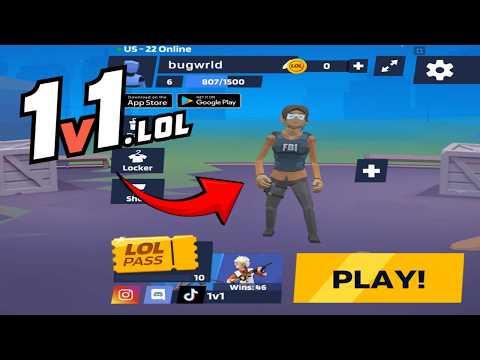
1v1 LOL Gameplay
Watch 1v1 LOL gameplay and learn the basics.
Frequently Asked Questions
Is this the original game?
gungames.cc is an independent, community-run project. It is not affiliated with the original developers and does not claim to be the official game. It exists for a simple reason: a lot of people still want to play, and somebody had to keep the lights on.
Can I play 1v1 LOL on mobile?
Yes, but you will need a compatible gamepad to play. This is the 1v1.lol old version, which does not support touchscreen controls, so it cannot be played directly with touch input.
How is my progress saved?
Your guest profile and progress are stored locally in this browser. Changing browser or device, using private browsing, or clearing site data can reset that local progress.
What is the difference between JustBuild.LOL, 1v1 LOL, and 1v1 LOL Pro?
What should I do if the game won't load, lags, shows a blank screen, or won't start?
Try one of these four steps:
- Clear your browser cache, then reload the game.
- Open the game in an incognito or private browsing window.
- Try a different browser, such as Microsoft Edge or Google Chrome.
- On the game cover, click Primary in the top-right corner and select a different game source, if available.
What should I do if matchmaking stays on "Connecting" or the loading circle keeps spinning?
Matchmaking can take longer when fewer players are online or when servers are busy. A persistent "Connecting" message can also indicate a connection or server issue. Try these options:
- Recommended: on the game cover, use the source selector in the top-right corner (usually labeled Primary) to try another available game source. This may help if the current source is having connection issues, but different sources may share the same matchmaking servers. If no other source is available, try the options below.
- Browse Similar Games on this site and try a similar game while you wait.
- Choose a Single Player game that does not require matchmaking. PvE games may also be suitable, but check that they support solo play: a PvE tag alone does not guarantee single-player or offline play.



Comments (0)