
















1v1 LOL Bitbucket

- Developer
- JustPlay.LOL
- Load Speed
- Average (1–3 min)
- Release Date
- May 17, 2020
- Added Site
- Jun 12, 2025
- Play Mode
- Single Player, Online Multiplayer
- Local Players
- 1 Player
- Controls
- Keyboard & Mouse, Gamepad
- Perspective
- Third-Person
1v1 LOL Bitbucket: Why a Code-Hosting Platform Became a Game Entrance
When looking for 1v1.LOL on a school Chromebook or an office computer, experienced browser-game players sometimes search for something unexpected: “1v1 lol bitbucket.” Alongside GitHub and Google Sites mirrors, Bitbucket became another place to find the familiar 3D build-and-shoot game.
The connection comes from the way browser games were shared. As popular mirror addresses became restricted, page maintainers moved their frontends to other hosting platforms. But a new address could not keep an old multiplayer service alive. After the original 1v1.LOL servers closed in late 2025, many pages on .bitbucket.io stopped delivering the online battles players remembered.
Game Screenshots

From GitHub to Bitbucket: Why Players Followed the Mirrors
Bitbucket is Atlassian's Git code-hosting platform. Its static website hosting lets developers publish a frontend under a .bitbucket.io address, much like the pages associated with GitHub repositories. That made it a practical home for small game portals and browser-game loading pages.
Three features explain its appeal:
- A platform used for legitimate development. Bitbucket also supports programming projects, coursework and software teams. A network could allow those resources even while restricting familiar gaming websites.
- A less familiar mirror address. Compared with widely shared GitHub game pages, Bitbucket offered another place to publish an entrance when an older bookmark stopped opening.
- Browser play without installation. A static page could load the Unity WebGL frontend or embed a game elsewhere. Players did not need to install an
.exejust to open the game.
The important distinction is simple: static hosting delivers the page and client; it does not provide the live matchmaking server. Changing the frontend's address does not replace the backend or make every school or office network allow it.
Why Do Old Bitbucket 1v1.LOL Links Stop Working?
An old mirror can still open while the game inside it fails. Three problems explain the loading screens, redirects and offline matches that players encounter.
1. The Original Multiplayer Backend Closed
JustPlay.LOL closed the original official servers on November 3, 2025. Bitbucket's static hosting can serve interface files and scripts, but it cannot bring back that discontinued lobby, matchmaking or account service. Pages still loading the old client may remain stuck at a progress bar or connection error. Read what happened to 1v1 lol? for the shutdown and the versions available now.
2. The Game Is Restricted to Another Domain
A mirror may load files that only permit the game to run on approved websites. The result can be a message such as “This game is restricted on this site and only available on the developer's site.” Following its button may lead back to a discontinued address instead of a working match. Reloading the same page does not change a restriction built into its game source.
3. An Offline Bot Build Replaced Online Play
Some mirrors launch an early offline practice package. The arena looks familiar and you can move or shoot, but there is no live matchmaking or friend party. Basic bots cannot recreate another player's decisions about building, editing and taking high ground. An arena that loads successfully is not necessarily a functioning multiplayer version.
Old Bitbucket Mirrors vs. 1v1 LOL Pro
If you want online build fights rather than another failed bookmark, 1v1 LOL Pro embeds the community 1v1.LOL RELOADED version directly on GunGames.cc. You can play it in your browser without installing Windows software or an Android APK.
| Feature | Old Bitbucket Mirrors | 1v1 LOL Pro / RELOADED |
|---|---|---|
| Servers | Old clients may still rely on the closed original service | A separately maintained community multiplayer service |
| Opponents | Connection errors or offline practice bots | Live multiplayer and ranked matches |
| Browser Access | Domain restrictions or redirects can prevent play | Play the embedded version directly on GunGames.cc |
| Modes | Offline packages offer limited practice | 1v1, Box Fight, Zone Wars and Battle Royale |
| Progress | Offline builds lack online account progression | Guest play or account sign-in for saved progress |
For the simpler classic 3.9 experience, click Play in the game area above or visit 1v1 LOL. Classic and Pro belong to the same game family, but have different controls, features and progress systems.
Get Back to Building and Shooting in Your Browser
You do not need to search abandoned repositories to start another build fight. Choose classic for the familiar arena or Pro for the community version's broader online features, then use these practical settings:
- Let the first load finish, then lower demanding settings. A WebGL client needs to load its game resources before a match. Close unnecessary tabs and lower the available graphics settings if your Chromebook struggles; the waiting time and frame rate depend on your device, network and cache.
- Keep mouse control inside the game. Click inside the game area to capture the pointer. If you switch tabs or open a menu, return to the canvas and click again before aiming. Use the game's pause or cursor-release control when you need to leave the view.
- Use the controls for the version you opened. On this page's classic build, W A S D move your character and Space jumps. Z selects walls, X ramps, C floors and V roofs; G opens and confirms building edits. Check Pro's own control settings rather than assuming every shortcut is identical.
- Practise a useful combat loop. Place a wall to stop incoming fire, create an edit when you know the opponent's position, take your shot, then close the opening before they answer. For construction-only warm-ups, use JustBuild.LOL.
- Keep downloads optional. Prefer a separate PC or Android app at home? The 1v1 LOL Download guide covers those options. Neither is needed to play Pro here in a browser.
From GitHub to Bitbucket, mirrors changed the entrance, not the reason players returned: quick building, smart edits and a close-range shot that wins the duel. Choose the version you enjoy, click Play, and bring that familiar rhythm back to the arena.
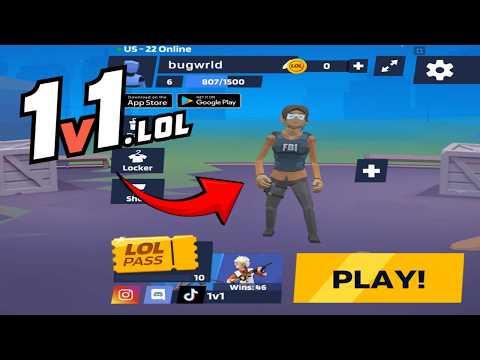
1v1 LOL Gameplay
Watch 1v1 LOL gameplay and learn the basics.
Frequently Asked Questions
Is this the original game?
gungames.cc is an independent, community-run project. It is not affiliated with the original developers and does not claim to be the official game. It exists for a simple reason: a lot of people still want to play, and somebody had to keep the lights on.
Can I play 1v1 LOL on mobile?
Yes, but you will need a compatible gamepad to play. This is the 1v1.lol old version, which does not support touchscreen controls, so it cannot be played directly with touch input.
How is my progress saved?
Your guest profile and progress are stored locally in this browser. Changing browser or device, using private browsing, or clearing site data can reset that local progress.
What is the difference between JustBuild.LOL, 1v1 LOL, and 1v1 LOL Pro?
What should I do if the game won't load, lags, shows a blank screen, or won't start?
Try one of these four steps:
- Clear your browser cache, then reload the game.
- Open the game in an incognito or private browsing window.
- Try a different browser, such as Microsoft Edge or Google Chrome.
- On the game cover, click Primary in the top-right corner and select a different game source, if available.
What should I do if matchmaking stays on "Connecting" or the loading circle keeps spinning?
Matchmaking can take longer when fewer players are online or when servers are busy. A persistent "Connecting" message can also indicate a connection or server issue. Try these options:
- Recommended: on the game cover, use the source selector in the top-right corner (usually labeled Primary) to try another available game source. This may help if the current source is having connection issues, but different sources may share the same matchmaking servers. If no other source is available, try the options below.
- Browse Similar Games on this site and try a similar game while you wait.
- Choose a Single Player game that does not require matchmaking. PvE games may also be suitable, but check that they support solo play: a PvE tag alone does not guarantee single-player or offline play.




Comments (0)