

















Hole.io
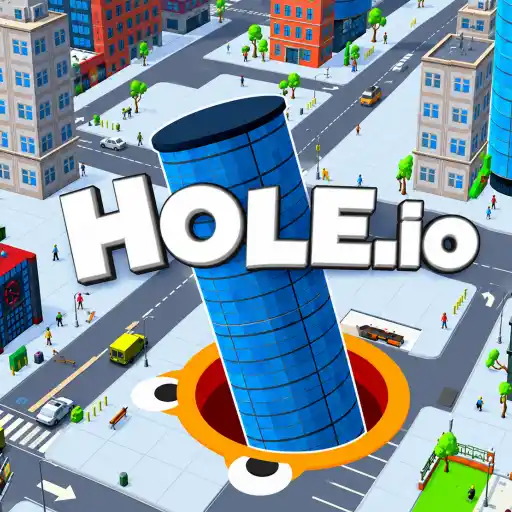
- Developer
- Voodoo
- Load Speed
- Not specified
- Release Date
- Jun 2018
- Last Updated
- Local Players
- 1 Player
- Controls
- Keyboard & Mouse, Touch Controls, APP
- Perspective
- Top-Down
What Is Hole.io?
Hole.io is a 3D arcade game about eating the city from underneath. Guide a small hole beneath street objects, swallow what fits and grow until cars and buildings become possible targets.
The timed browser round rewards efficient growth. Rival holes compete for the same food, so choosing a productive route matters as much as chasing an opponent.
Game Screenshots

How to Play Hole.io
Start with objects that fit
Look for small street clutter rather than heading straight for the tallest building. Move the opening under a target and let it drop in. If an object remains too large, leave it and collect smaller items until your hole expands.
Turn growth into a better route
Each size increase opens new targets. Clear nearby groups, then return to vehicles and structures you could not swallow earlier. You do not need to fire or activate a separate eating attack.
Watch rivals and the timer
Larger holes can swallow smaller ones. Avoid a dangerous rival while you are small, and only pursue a smaller hole when it will not cost more time than feeding nearby. The standard city round is a short score race, commonly around two minutes; follow the timer shown in your game.
Hole.io Controls
- Move Mouse: steer the hole.
- ↑↓←→: alternative movement in keyboard-enabled browser builds.
On phones and tablets, use the touch movement control. Guide the hole beneath objects to consume them; there is no separate shoot or reload action.
Hole.io Tips
- Chain nearby small targets. A row of street objects can produce faster early growth than crossing the map for one oversized target.
- Leave a target that will not fit. Repeatedly circling a large building wastes the round timer. Return after another size increase.
- Reassess after growing. A street you already passed may now contain edible cars or buildings, making a short return route worthwhile.
- Do not turn every rival into a chase. Keep eating when an opponent is moving away through an empty area; a dense block may offer a better score.
- Give larger holes room. Avoid entering a crowded feeding area with a bigger rival when an unclaimed route is available.
Download


Windows
Download (opens in a new tab)Paid Steam edition. Requires Steam; modes differ from the browser version.

%22%20d%3D%22M56.064%200h143.872C230.9%200%20256%2025.1%20256%2056.064v143.872C256%20230.9%20230.9%20256%20199.936%20256H56.064C25.1%20256%200%20230.9%200%20199.936V56.064C0%2025.1%2025.1%200%2056.064%200%22%2F%3E%3Cpath%20fill%3D%22%23fff%22%20d%3D%22m82.042%20185.81l.024.008l-8.753%2015.16c-3.195%205.534-10.271%207.43-15.805%204.235s-7.43-10.271-4.235-15.805l6.448-11.168l.619-1.072c1.105-1.588%203.832-4.33%209.287-3.814c0%200%2012.837%201.393%2013.766%208.065c0%200%20.126%202.195-1.351%204.391m124.143-38.72h-27.294c-1.859-.125-2.67-.789-2.99-1.175l-.02-.035l-29.217-50.606l-.038.025l-1.752-2.512c-2.872-4.392-7.432%206.84-7.432%206.84c-5.445%2012.516.773%2026.745%202.94%2031.046l40.582%2070.29c3.194%205.533%2010.27%207.43%2015.805%204.234c5.533-3.195%207.43-10.271%204.234-15.805l-10.147-17.576c-.197-.426-.539-1.582%201.542-1.587h13.787c6.39%200%2011.57-5.18%2011.57-11.57s-5.18-11.57-11.57-11.57m-53.014%2015.728s1.457%207.411-4.18%207.411H48.092c-6.39%200-11.57-5.18-11.57-11.57s5.18-11.57%2011.57-11.57h25.94c4.188-.242%205.18-2.66%205.18-2.66l.024.012l33.86-58.648l-.01-.002c.617-1.133.103-2.204.014-2.373l-11.183-19.369c-3.195-5.533-1.299-12.61%204.235-15.804s12.61-1.3%2015.805%204.234l5.186%208.983l5.177-8.967c3.195-5.533%2010.271-7.43%2015.805-4.234s7.43%2010.27%204.235%2015.804l-47.118%2081.61c-.206.497-.269%201.277%201.264%201.414h28.164l.006.275s16.278.253%2018.495%2015.454%22%2F%3E%3C%2Fsvg%3E)
Frequently Asked Questions
Do the mobile and Windows editions have the same modes as the browser game?
Not necessarily. They are separate releases with their own updates, menus and extra modes. The Steam edition includes local multiplayer features that should not be assumed to exist in the browser, and shared save progress is not established.
Is Hole.io free, including the downloadable editions?
Browser play is free. The official Android and iPhone/iPad apps are free to install and offer in-app purchases; the Android listing also includes ads. The Windows Steam edition is a paid purchase.
What should I do if the game won't load, lags, shows a blank screen, or won't start?
Try one of these four steps:
- Clear your browser cache, then reload the game.
- Open the game in an incognito or private browsing window.
- Try a different browser, such as Microsoft Edge or Google Chrome.
- On the game cover, click Primary in the top-right corner and select a different game source, if available.
What should I do if matchmaking stays on "Connecting" or the loading circle keeps spinning?
Matchmaking can take longer when fewer players are online or when servers are busy. A persistent "Connecting" message can also indicate a connection or server issue. Try these options:
- Recommended: on the game cover, use the source selector in the top-right corner (usually labeled Primary) to try another available game source. This may help if the current source is having connection issues, but different sources may share the same matchmaking servers. If no other source is available, try the options below.
- Browse Similar Games on this site and try a similar game while you wait.
- Choose a Single Player game that does not require matchmaking. PvE games may also be suitable, but check that they support solo play: a PvE tag alone does not guarantee single-player or offline play.
Leave a Comment
Comments (0)