















Blombo.io
- Developer
- MoVariYa
- Load Speed
- Not specified
- Release Date
- 2026
- Last Updated
- Play Mode
- Online Multiplayer
- Local Players
- 1 Player
- Controls
- Keyboard & Mouse, Touch Controls
- Perspective
- First-Person, Third-Person
What Is Blombo.io?
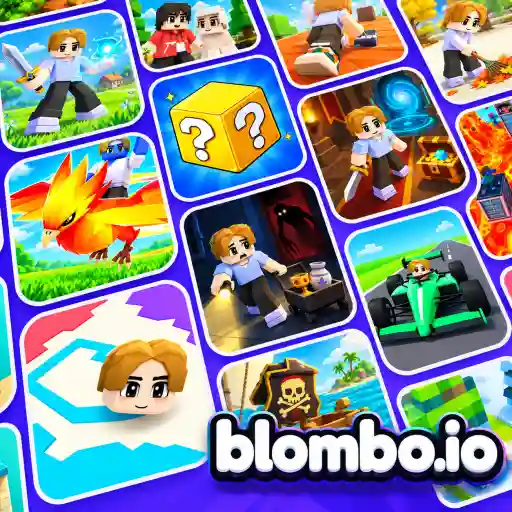
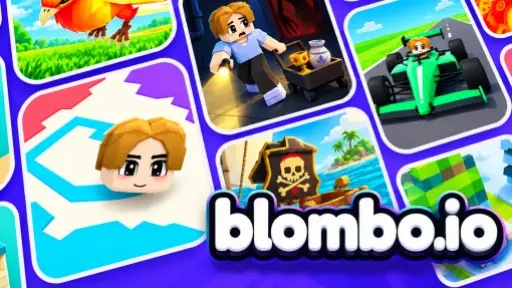
Blombo.io brings community-made 3D games into one browser platform. Choose cooperative survival, team battles, parkour or a social world rather than following one fixed set of rules. You can play without installing a separate client.
Your character and appearance collection travel between worlds, along with your friends list and party. Each game still has its own objectives and progression.
Game Screenshots
How to Play Blombo.io
Find a world
Browse Hot for active games, New for recent releases, Best for highly rated choices and Updated for fresh content. Read the selected world's introduction before starting: survival, combat and roleplay do not use the same goals.
- Bedwars: defend your team's bed while breaking the opponents' beds.
- Stay Alive: gather resources, craft and build a base against zombies.
- Tower of Chaos: work through changing platform challenges as you climb.
- Blockhaven: explore a city, take jobs and meet other players.
Create your own game
Use the browser editor to arrange shapes and ready-made props, then move, rotate and resize them into a playable space. Set spawn positions and test the route before publishing. JavaScript can add custom scoring, checkpoints or round rules when you want more than a built environment.
Blombo.io Controls
These are the shared desktop controls; individual worlds may add their own actions.
- WASD or arrow keys: move.
- Move Mouse: look around.
- Scroll Wheel: zoom the camera.
- Left Click: punch or use the selected item.
- Space: jump. Shift: sprint. C: crouch.
- E: interact. F: first-person camera.
- G: hold for the emote wheel, choose a slot and release.
- Enter: chat. Tab: player list. P: menu and settings.
Change bindings in Settings > Controls. On phones and tablets, use the movement joystick, swipe to look, pinch to zoom and tap the on-screen action buttons.
Blombo.io Tips
- Match your actions to the world. A survival camp needs resources and defense; a Bedwars team needs its bed protected. Chasing every player is not always useful.
- Give jumps a wider view. Zoom out when judging a platform landing so you can see your character and the edge together.
- Learn before switching worlds. Check the opening instructions whenever you enter a new game, especially if a familiar action key behaves differently.
- Build one playable route first. In the editor, test the path from spawn to goal before decorating the entire map. This exposes blocked routes and awkward jumps early.
Frequently Asked Questions
How do I get into the same server as my friends?
Use the friend-join option or arrange a server for your group. Opening the same world separately does not necessarily put everyone in the same instance.
Can I create Blombo games on a phone?
Touch controls are available for playing, but the world editor is designed for a computer with a mouse. Use a desktop or laptop for building and testing your own game.
What should I do if Blombo reports unsupported graphics?
The browser needs WebGPU or WebGL2. Enable hardware acceleration, update and restart the browser, and check graphics drivers. If neither graphics option is available on the device, try another compatible device.
What should I do if the game won't load, lags, shows a blank screen, or won't start?
Try one of these four steps:
- Clear your browser cache, then reload the game.
- Open the game in an incognito or private browsing window.
- Try a different browser, such as Microsoft Edge or Google Chrome.
- On the game cover, click Primary in the top-right corner and select a different game source, if available.
What should I do if matchmaking stays on "Connecting" or the loading circle keeps spinning?
Matchmaking can take longer when fewer players are online or when servers are busy. A persistent "Connecting" message can also indicate a connection or server issue. Try these options:
- Recommended: on the game cover, use the source selector in the top-right corner (usually labeled Primary) to try another available game source. This may help if the current source is having connection issues, but different sources may share the same matchmaking servers. If no other source is available, try the options below.
- Browse Similar Games on this site and try a similar game while you wait.
- Choose a Single Player game that does not require matchmaking. PvE games may also be suitable, but check that they support solo play: a PvE tag alone does not guarantee single-player or offline play.
Leave a Comment
Comments (0)